Features to look for in the best HRIS software
Once you’ve got a short list of vendors, the next step is figuring out which system will actually make life easier for you and your team. As you compare options, look for features that keep your data in one place, cut down on busywork, and support the culture you’re trying to build.
Payroll
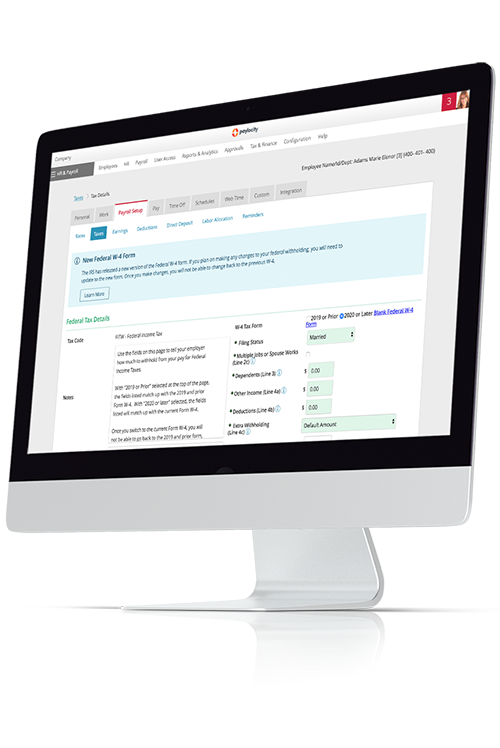
In an ideal world, payroll runs quietly in the background — and a strong HRIS helps you get closer to that. When payroll is built into your HRIS, it can pull in hours, pay rates, deductions, and tax details automatically, so you’re not keying the same information into multiple systems.
That means more accurate paychecks, fewer last-minute fixes, and better confidence that you’re staying compliant with federal, state, and local rules.
Core HR
Core HR is where you manage the basics: employee records, job and pay details, org structure, policies, and key documents.
A good system makes it easy to find what you need quickly, automate routine workflows (like address changes or title updates), and keep everything clean and consistent as people join, move, and grow in the organization.
Audits and reporting
HR teams get asked for data, like headcount, turnover, and overtime, all the time. A strong HRIS should make those answers easy to find with out-of-the-box reports and simple tools to build your own, plus audit trails that show who changed what and when.
That way, you’re ready for leadership questions, board decks, and surprise audits without digging through old emails or spreadsheets.
Security and compliance
HR data is some of the most sensitive information a company holds, so security can’t be an afterthought. The best HRIS software includes role-based permissions, strong access controls, and data encryption, along with tools to support key compliance needs, like audit logs, retention rules, and region-specific regulations.
The goal is to keep your data safe, your processes consistent, and your team confident that the system is doing its part to protect employees and the business.
Benefits administration
Benefits are important to employees — and often a headache for HR. With the right HRIS, you can manage enrollments, track eligibility, and handle life events in a single system, then send clean data to your carriers.
Employees get a clearer view of their choices, and you spend less time fixing file errors or answering the same questions on repeat.
Employee time tracking and scheduling
If you have hourly or shift-based employees, time tracking and scheduling are big pieces of the puzzle. Look for HRIS tools that let employees clock in and out, track breaks, and request PTO, while managers can build and adjust schedules without starting from scratch every week.
When those hours and schedules flow directly into payroll, you cut down on manual entry and the back-and-forth over missing or incorrect time.
Document management
From offer letters and I-9s to policies and performance reviews, HR runs on documents. Look for an HRIS that lets you store, organize, and search all of that in one place, with e-signatures and clear version control.
When documents live alongside employee records and workflows, you spend less time chasing attachments and more time making sure people have what they need.
Talent management
A modern HRIS should support people beyond day one. Talent tools help you post jobs, track candidates, onboard new hires, and manage performance and development in the same system.
That gives you better visibility into your pipeline and makes it easier for managers to give feedback, set goals, and support growth.
HR analytics
HR analytics within your HRIS can give you ready-made reports on headcount, turnover, overtime, and more — plus the ability to slice and dice data when leadership asks tougher questions.
When your information is accurate and up to date, you can move from gut feel to data-backed decisions without spending hours exporting spreadsheets.
The best HRIS software also helps people feel more connected. Features like surveys, recognition, social feeds, and feedback tools give employees an easy way to share their voice and celebrate wins.
When these tools sit alongside everyday tasks like time, pay, and benefits, engagement becomes part of daily work — not a once-a-year initiative.

?ts=1766434324373&$ProductTIleImage$&dpr=off)
?ts=1767883310078&$ProductTIleImage$&dpr=off)

?ts=1766434786652&$ProductTIleImage$&dpr=off)

?ts=1766435078547&$ProductTIleImage$&dpr=off)


?ts=1766435602834&$ProductTIleImage$&dpr=off)
?ts=1766435745599&$ProductTIleImage$&dpr=off)


![10 Best Payroll Software for Nonprofit Organizations [2026]](https://s7d9.scene7.com/is/image/paylocity/best-payroll-software-for-nonprofit-organizations-hero?$Hero-Card$)