Streamline employee communication and foster a culture of engagement. Our online social collaboration hub connects employees to each other, leadership, and their work.


How Community helps you
Optimize "broadcast" communications
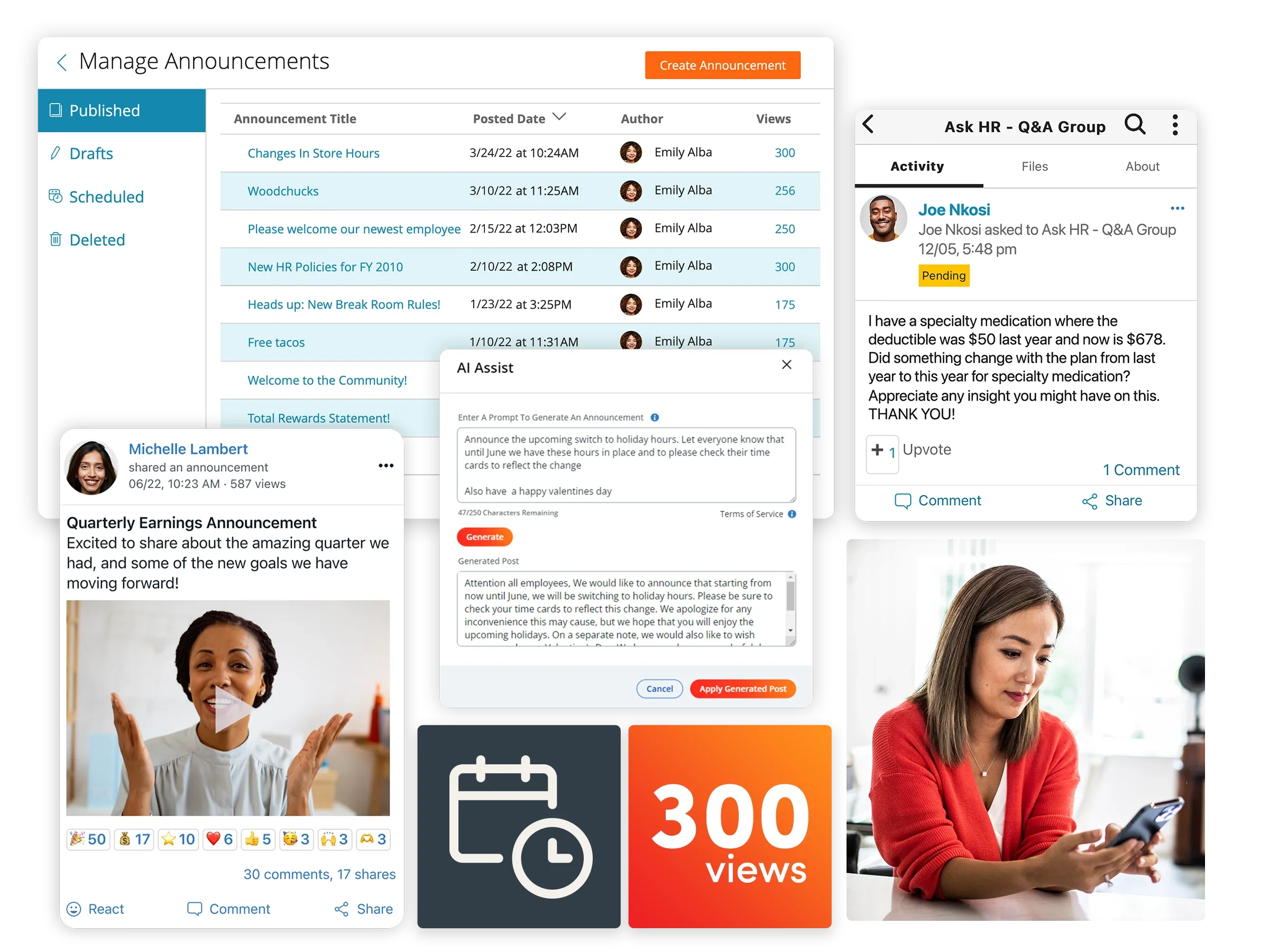
A company feed streamlines announcements into a single location that’s accessible to all employees. Use out-of-the-box templates, such as tax season reminders and instant pay, to save time in the day and further simplify communication.
Understand your reach
A convenient dashboard makes it easy to schedule, manage, send, and track engagement with announcements.
Support employees at scale
With Ask an Expert groups, employees can pose questions to designated group experts who can manage questions from an intuitive dashboard. Employees feel comfortable asking questions and learning from their peers – and you field fewer emails and office drop-ins.
Communicate more effectively
Quickly generate announcements by entering a prompt into AI Assist and then share the post with group members in just a few clicks. By calibrating the tone of announcements AI Assist helps your message land and increases transparency across your organization.

Why employees love Community
Feel seen and heard with peer recognition
Give virtual kudos to coworkers with peer recognition badges that are also surfaced to managers in formal performance reviews.
Connect with profiles and discussion groups
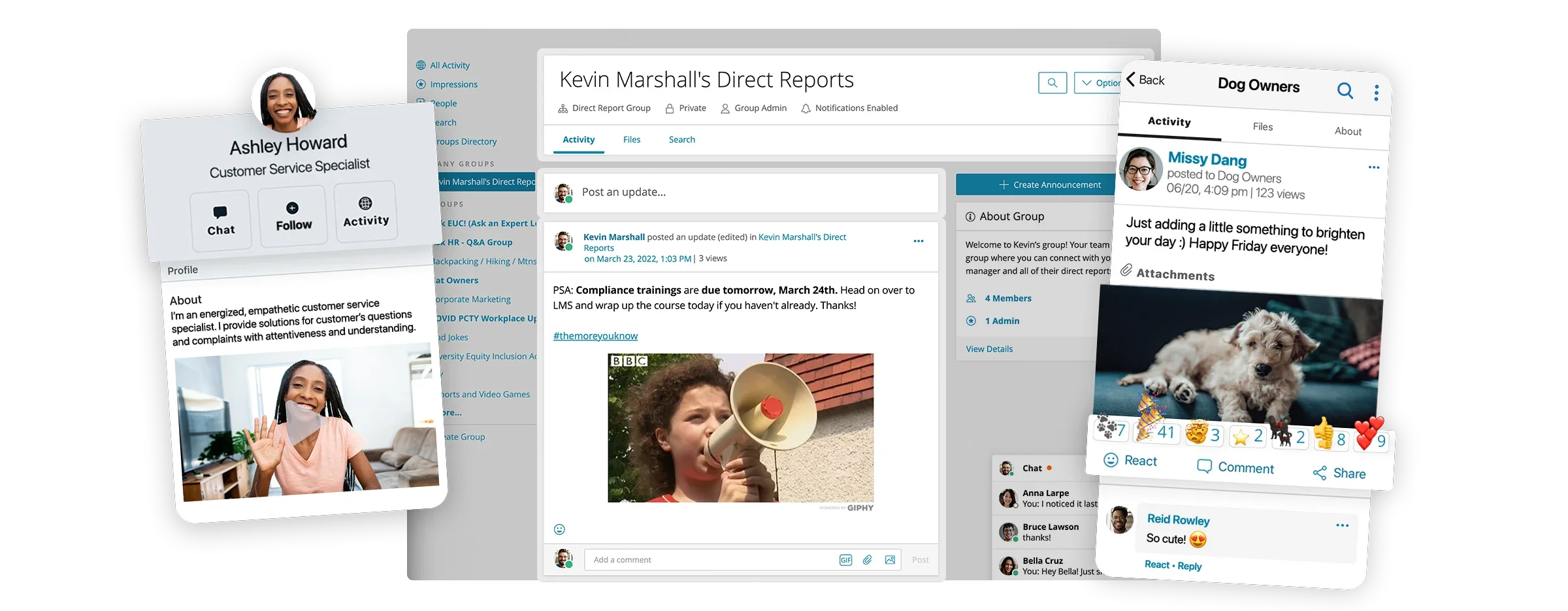
Learn about your colleagues with user profiles and connect on projects, interests, and initiatives across teams, levels, and locations with discussion groups.
Simplify communication with team groups
Employees are added to automatically created team groups to easily communicate with supervisors and teammates. Plus, easily welcome new coworkers with automated icebreaker questions once they're added to the group.
Work together via file sharing and chat
File sharing and co-editing simplifies collaboration on things like team meeting agendas and chat facilitates quick team communication — even for deskless team members or those without company email or equipment.


Everything you need to know
Frequently asked questions
Have more questions?