
8 Best Manufacturing Payroll Software Solutions to Streamline Pay and Boost Compliance
One challenge consistently facing manufacturers is a high turnover rate among their frontline staff.
That churn, combined with factors such as shift differentials, piece‑rate pay, and multi‑location compliance, means simple payroll tools and spreadsheets just don’t cut it anymore.
This article rounds up the top manufacturing payroll software solutions built to handle the full complexity of modern payroll, so you can reduce errors, control costs, and protect your business from compliance risk.
Best manufacturing payroll software of 2026
Below are some of the top payroll software for manufacturing options available today. These solutions are listed in no particular order and are meant to help you quickly compare which platforms may be the best fit for your business.
| Platform | Best For | Key Features | Pricing |
| Paylocity |
All-in-one HR, payroll, and expense management |
|
Custom with free demo |
| Gusto | Small-and medium-sized manufacturers who need a simple setup |
|
|
| Papaya Global | Managing rotating schedules |
|
Custom |
| ADP | Advanced payroll compliance, tax filing, and scalability |
|
Custom |
| Global Shop Solutions | End-to-end manufacturing ERP |
|
Custom |
| Dayforce | Complex hourly and shift-based workforces |
|
Custom |
| Rippling | Automating shift pay |
|
Custom |
| Deel | Global contractor management |
|
|
1. Paylocity
(1)?ts=1772838783192&$ProductTIleImage$&dpr=off)
Best for: All-in-one HR, payroll, and expense management
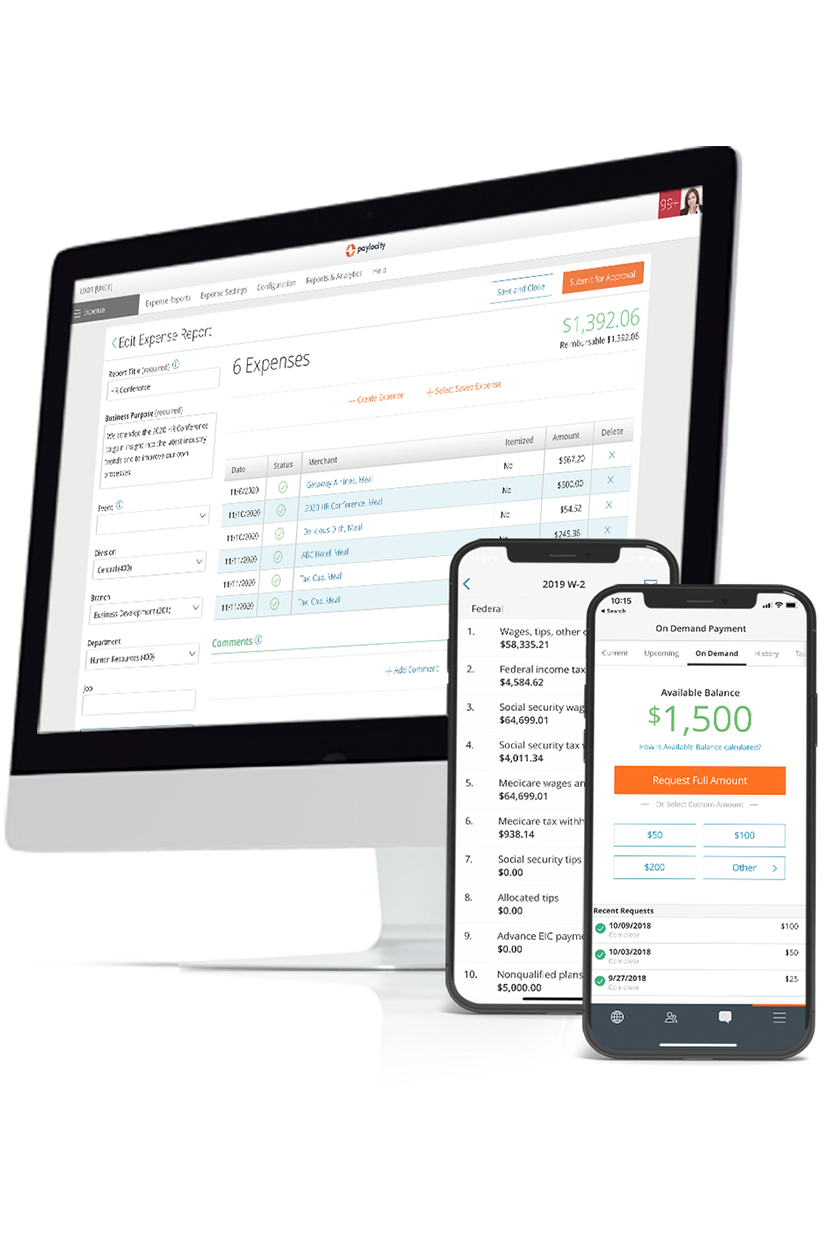
Paylocity is a modern, unified workforce platform that helps manufacturers manage payroll, HR, scheduling, and compliance from a single system. Built to handle complex manufacturing operations, it supports multi-location setups, shift-based pay, certifications, union rules, and job costing — all while integrating with your existing ERP and other industry tools.
The platform also helps attract, retain, and engage employees through mobile self-service, recognition tools, and early access to earned wages. Managers can use real-time analytics to drive productivity and reduce compliance risk. It’s built for manufacturers that need scale, flexibility, and actionable workforce intelligence without the headaches of disconnected systems.
Key features:
- Centralized payroll and workforce management: Combine payroll, HR, time & labor, scheduling, and compliance in one platform for seamless operations across multiple sites and entities.
- ERP & third-party integrations: Connects with 450+ tools, including major ERPs like Oracle NetSuite, SAP, Acumatica, and Deltek, as well as scheduling, compliance, and earned wage access systems.
- Automated calculations for complex pay structures: Handles overtime, shift differentials, piece rate, and multi-location payroll rules automatically to reduce errors and ensure compliance.
- Mobile self-service & AI-powered scheduling: Employees can view schedules, swap shifts, request time off, complete onboarding, and access pay from a single mobile app, while AI tools optimize shift assignments based on skills, certifications, and location.
- Analytics and insights: Real-time reporting on labor costs, compliance, turnover, and workforce trends helps managers make proactive decisions and uncover opportunities to improve productivity.
Pricing: Custom with free demo
?ts=1767882597017&$ProductTIleImage$&dpr=off)
2. Gusto
?ts=1772746831159&$ProductTIleImage$&dpr=off)
Best for: Small-and-medium-sized manufacturers who need a simple setup
Gusto helps manufacturing companies manage the entire employee lifecycle, from hiring to retirement, with native solutions and integrations that keep all HR data synced and organized.
It offers a Time Clock Kiosk that allows shop-floor employees to clock in and out on shared devices, with hours syncing directly into payroll to reduce manual entry and errors.
Gusto also includes integrated time tracking with automatic overtime calculations, making it easier to manage hourly and shift-based pay common in manufacturing environments.
Users report that Gusto handles basic payroll adequately, but many find the platform unintuitive and difficult to navigate for tasks like bonuses, tax setup, and benefits management.Gusto reviews
Key features:
- Time Clock Kiosk app: The Time Clock Kiosk turns any connected device into a centralized clock-in/clock-out station, letting employees easily record hours on location with those hours syncing directly to payroll.
- Integrated time tracking: Gusto’s built-in time tracking lets team members clock in and out or log hours from anywhere (web or mobile), with tracked hours automatically syncing to payroll for overtime and attendance calculations.
- Automatic overtime calculations: Gusto automatically calculates overtime based on tracked hours and applicable state and federal rules, reducing manual errors and ensuring employees are paid correctly.
Pricing:Gusto pricing
- Simple: $49/mo
- Plus: $80/mo
- Premium: $180/mo
3. Papaya Global

Best for: Managing rotating schedules
Papaya Global is a cloud-based payroll platform that automates and centralizes global payroll processing for employees and contractors in 160+ countries,Papaya Platform consolidating data from your HRIS, time tracking, and other systems into a single, compliant payroll run. Its AI-driven validation, built-in compliance engine, and embedded payment capabilities ensure accurate, on-time payroll and reporting while reducing manual work and errors across international payroll operations.
Users note that there’s room to expand its AI-driven automation to improve data validation and predictive insights. Some also mention inconsistent reporting standards across local partners, which can affect the experience across regions.Papaya Global reviews
Key features:
- Papaya Payroll AutoRun: Papaya’s automated payroll capabilities streamline processing by automatically calculating pay, handling tax withholdings, and preparing payroll cycles across locations, reducing manual tasks and errors.
- Intelligent tax recommendations: The platform includes AI‑powered validation and compliance logic that analyzes payroll data against local tax and labor rules, helping ensure accurate deductions and filings before payroll is finalized.
- Paystub preview before payday: Employees can access their payslips and payroll details through a self‑service portal that shows paystub information once payroll is processed but before funds are disbursed, improving transparency and reducing admin inquiries.
Pricing: Custom
4. ADP
?ts=1772745201884&$ProductTIleImage$&dpr=off)
Best for: Advanced payroll compliance, tax filing, and scalability
ADP provides payroll solutions for businesses of all sizes. The platform combines automated payroll processing with integrated HR, time tracking, and compliance support.
The platform makes it easy to calculate and remit taxes, manage direct deposits, and generate reports, while self-service tools empower employees to access pay stubs and update information on their own. ADP’s software supports multi-location operations, offers bilingual support, and is built to reduce errors, save time, and simplify payroll management across industries.
Some users report that error messages can be unclear, that customization is limited, and support response times for complex issues can be slow. Others note that greater transparency into payroll and tax setup would make troubleshooting easier.ADP reviews
Key features:
- Clover integration: RUN integrates directly with Clover POS systems, automatically syncing hours and pay data for employees clocked in through Clover with payroll.
- AI document extraction for payroll tax notices: Users can upload tax documents like state unemployment notices, and ADP’s AI-powered extraction automatically pulls the required data into payroll, reducing errors and manual entry.
- Multi-company payroll management from one dashboard: Manage payroll for multiple companies from a single interface, streamlining administration and improving visibility across all entities.
Pricing: Custom
5. Global Shop Solutions

Best for: End-to-end manufacturing ERP
Global Shop Solutions includes payroll as part of its fully integrated ERP for manufacturers, letting you manage employee records, benefits, and payroll alongside shop floor data and financials.
It calculates regular, overtime, and double-time hours and generates tax reports and earnings history. Payroll also syncs with the general ledger and labor tracking to support accurate cost accounting. The system also supports direct deposit, W‑2s, and vacation/sick time accruals, making it a comprehensive backend payroll solution within a manufacturing ERP.
Some users note that consultants may still be more familiar with legacy systems, and additional support can be costly. Implementation is time-intensive, requiring significant staff adoption and planning.Global Shop Solutions-Reviews
Key features:
- Labor tracking: Manufacturers can track labor hours by direct, indirect, overtime, and red time, tying those hours back to payroll and cost reporting for accurate labor cost allocation.
- Payroll export/integration to 15+ payroll providersGlobal Shop Solutions- HR & Payroll: Export payroll data to more than 15 payroll providers, including ADP, Paychex, and AllianceHCM, simplifying pay processing with best-of-breed payroll systems.
- Flexible time & attendance rules: It supports flexible time and attendance rules, including daily/weekly hours, weekend and holiday rules, and overtime/double-time thresholds to reflect real manufacturing pay conditions.
Pricing: Custom
6. Dayforce
?ts=1772745967468&$ProductTIleImage$&dpr=off)
Best for: Complex hourly and shift-based workforces
Dayforce is a unified human capital management (HCM) platform that combines payroll, time & attendance, HR, and workforce management in a single system.
It’s well-suited for manufacturers that need real‑time payroll accuracy, strong compliance automation, and tools to support complex hourly and salaried workforces across multiple locations. Dayforce’s continuous calculation engine and integrated payroll workflows mean manufacturers can process pay more reliably.
Several users report long support wait times, declining service quality in recent years, and difficulty resolving payroll issues quickly. Reviews also point to a non-intuitive interface, account access problems, and limited employee self-service support.Dayforce reviews
Key features:
- Dayforce Autonomous Payroll with AI anomaly detection: Runs simulations and uses AI to flag anomalies (like unusual hours) before payday, helping payroll teams catch issues early.
- Continuous real‑time payroll calculation engine: Continuous payroll calculations throughout the pay period, ensuring manufacturers always have accurate, up‑to‑date payroll figures and avoid batch errors at period end.
- Dayforce Wallet: Employees can access earned pay on demand through Dayforce Wallet, giving workers instantaneous access to wages they’ve already earned.
Pricing: Custom
7. Rippling
?ts=1772746149222&$ProductTIleImage$&dpr=off)
Best for: Automating shift pay
Rippling is a cloud-based payroll platform designed to handle both employees and contractors across multiple locations. It integrates directly with leading accounting systems like QuickBooks, Xero, and NetSuite, allowing payroll data to flow automatically from HR updates.
The platform offers flexible scheduling for pay runs, customizable pay types, and role-based permissions, enabling organizations to delegate tasks without losing control. Employees can access pay stubs and tax forms on demand, reducing the need for routine HR requests. Rippling also provides visibility into payroll changes, with tools to compare current and past pay runs and identify discrepancies before final approval.
Some reviews note that some advanced configurations and edge cases may require manual workarounds or support. Certain settings aren’t always intuitive, role-based permissions are limited, and some processes lack automation for complex business rules, which can add administrative overhead.Rippling reviews
Key features:
- Rippling’s Workflow Studio: Lets admins build no‑code custom workflows across HR and payroll (e.g., trigger bonuses on the next pay run or automate tasks based on employee events).
- Employee self‑service: Provides a portal and mobile app where employees can view pay stubs, update personal info, and manage payroll‑related settings like direct deposit.
- Unlimited off‑cycle runs: Supports unlimited payroll runs, including off‑cycle corrections, bonuses, and special runs at no additional cost.
Pricing: Custom
8. Deel
?ts=1772746261368&$ProductTIleImage$&dpr=off)
Best for: Global contractor management
Deel is a global payroll platform built to help companies manage payroll, compliance, and tax regulations across more than 130 countries from a centralized system. It’s especially useful for organizations with international manufacturing operations or distributed teams because it automates complex gross‑to‑net payroll calculations.
It also handles multi‑jurisdiction tax and statutory compliance, and gives real‑time visibility into payroll costs and reporting. Deel works well when you need one global view of payroll that simplifies cross‑border pay and keeps filings up to date without maintaining separate systems in each country.
Some users note that Deel Payroll can have unclear or higher fees for certain transfers, and withdrawal limits may feel restrictive. Initial setup can be confusing, and the platform’s many features aren’t always easy to discover or navigate, with limited guidance for users.Deel reviews
Key features:
- Automated tax handling across 130+ countries: Deel continuously monitors and applies local tax rules and statutory contributions, automating tax calculations and compliance filings as part of the payroll process.
- Deel Payroll Connect: Payroll Connect consolidates and reports gross‑to‑net payroll data from external and internal providers into a single dashboard for standardized global reporting and visibility.
- AI assistance to flag anomalies: Deel’s platform incorporates AI and intelligent monitoring to flag payroll anomalies and compliance risks, helping reduce errors and unexpected regulatory issues before pay runs are finalized.
Pricing:Deel pricing
- Deel Global Payroll: $29/employee/month
- Deel Contractor Management: $49/contractor/month
- Deel EOR (Employer of Record): $599/employee/month
- Deel Contractor of Record: $325/contractor/month
- Deel PEO: $95/employee/month
Features to look for when choosing a manufacturing payroll software
When you’re evaluating payroll software for a manufacturing business, you want tools that actually solve the tough parts, like tracking hours across shifts and handling complex pay rules. Grant-linked labor allocation and fund accounting
These payroll features help reduce manual work, eliminate spreadsheet-related errors, and give HR and finance teams the visibility they need into labor costs and compliance. Let’s have a look.
Key features:
- Automated overtime and shift differential calculations: Payroll systems should automatically calculate overtime and shift differentials (night, weekend, premium rates) based on hours worked and your rules to ensure accurate payouts without manual formulas.
- Integrated time and attendance syncing: Time and attendance data (clock‑ins/outs, breaks, shift assignments) feeds directly into payroll, so hours are accurately captured and payroll reflects real work time.
- Compliance automation for multi‑state/local taxes and labor laws: Good payroll software updates tax rules and labor regulations automatically, helping you stay compliant across states and locales without manual tracking.
- Support for multiple pay types: Systems should handle hourly, salaried, piece‑rate, bonus, and union rates without workarounds so complex manufacturing wage structures are processed correctly.
- Robust reporting on labor costs, hours, and payroll trends: Built‑in reporting and analytics help you understand labor costs by shift, department, or job code, forecast payroll expenses, and spot trends that drive operational decisions.
Get payroll right with Paylocity
Choosing the right manufacturing payroll software is key to accurate pay, compliance, and reducing admin work. Paylocity’s HR and payroll software for manufacturing combines payroll automation, time tracking, and AI-driven tools to handle shift differentials, multi-location labor, and complex pay structures.
Centralizing payroll and HR data helps make every run smooth and reliable so your team can focus on operations. Take the next step to simplify your payroll.
Request a demo and explore Paylocity’s features today.
Manufacturing payroll software FAQs
What is the best free manufacturing payroll software?
While free payroll software options exist, they typically work best for very small manufacturers with simple hourly pay structures. Gusto offers a free tier for small teams.
However, for manufacturers handling shift differentials, overtime, or multi-location operations, investing in a dedicated payroll solution makes more sense. Look for options like Paylocity, ADP, or Global Shop Solutions if you want support with compliance-heavy payroll and integration with other systems.
How do you integrate payroll with ERP systems?
Most modern manufacturing payroll software supports integrations with ERP systems via APIs, CSV imports, or pre-built connectors. This allows payroll data — including hours, labor costs, and job codes — to flow directly into accounting and production modules. Vendors such as Global Shop Solutions, Rippling, and Paylocity offer built-in ERP connectivity for seamless synchronization.
What are manufacturing payroll compliance requirements?
Manufacturing payroll compliance involves following federal, state, and local labor laws, including minimum wage, overtime, shift differentials, and break rules. It also includes accurate tax withholding, reporting, and filing deadlines.
Software that automates these calculations, generates reports, and tracks multi-state or global employees, such as Paylocity, Dayforce, or Deel, helps manufacturers avoid penalties and audits.
Sources
Save Time with Stress-Free Payroll Solutions
Payroll doesn’t have to be complicated, but it does have to be right. Stay compliant, collect employee data, and streamline tax filing – all while putting time back in your day with our automated payroll software. With the assurance of an error-free workflow, you can get back to what matters most – your people. Learn how our modern solutions get you out of the tactical and back to focusing on the bigger picture.
Related
![Top 10 Best Payroll Software for Small Businesses [2026]](https://s7d9.scene7.com/is/image/paylocity/best-payroll-software-hero?$Hero-Card$)
Top 10 Best Payroll Software for Small Businesses [2026]
