
10 Best Restaurant HR Software Solutions for 2026: Features, Pricing & Reviews
Running a restaurant is a masterclass in controlled chaos, but when your annual turnover rate hits the industry average of 75% or higher, that chaos can quickly become unsustainable.
Between managing a revolving door of new hires, juggling complex shift swaps, and ensuring every tip is tracked and taxed correctly, the administrative burden can pull you away from what matters: your guests and your food. To keep your kitchen and front-of-house running smoothly, you need restaurant HR software that actually understands the high-speed, shift-based reality of your business.
This guide compares the top platforms for 2026, focusing on the features that matter most to owners and managers. By the end of this article, you’ll have an actionable shortlist for selecting an HR partner that simplifies your operations and lets you get back to the hospitality side of the business.
The best restaurant HR software in 2026
| Platform | Best for | Key features | Pricing |
| Paylocity | All-in-one HR, payroll, and expense management |
|
Custom |
| 7shifts | Staff scheduling and shift communication |
|
|
| Toast | POS-to-payroll integration and tip management |
|
|
| Restaurant365 | Integrated accounting and labor cost control |
|
Custom |
| Connecteam | Managing deskless frontline workers |
|
|
| Gusto | Small restaurants (1-3 locations) on a budget |
|
|
| Workstream | High-volume hiring and text-based recruiting |
|
Custom |
| Homebase | Budget-friendly scheduling and time tracking |
|
Free plan available, with paid plans starting at $20/month (billed annually) |
| BambooHR | Growing chains professionalizing HR processes |
|
Custom |
| Paychex Flex | Enterprise restaurants needing compliance support |
|
Custom |
1. Paylocity

Best for: All-in-one HR, payroll, and expense management
Paylocity is a comprehensive human capital management (HCM) platform equipped to handle the fast-paced, often unpredictable nature of the restaurant industry. By bringing HR, payroll, and time tracking into a single, user-friendly space, Paylocity helps you ditch the patchwork tech stack of disconnected apps in favor of one cohesive system.
This integration gives you a real-time pulse on your labor costs across every location, moving you away from manual data entry and toward more strategic decision-making.
What truly sets Paylocity apart is that it’s built for your front-of-house and back-of-house teams — the people who make your restaurant run while on their feet, not behind a computer screen. The platform combines industry-specific service expertise with a mobile-first experience that engages your team right where they are.
Key features:
- Robust multi-location management: Manage custom cost centers and reporting structures across all venues from a single login, standardizing training and policies while tracking performance at each site.
- Tip and wage compliance tools: Paylocity automatically handles restaurant-specific calculations like FICA tip credits and dual pay rates, while staying current on federal, state, and local labor laws to help you avoid compliance penalties.
- Integrated time tracking with labor cost controls: AI-powered forecasting and geofenced time collection keep the right people on the floor while preventing time theft. Real-time reporting lets you track labor as a percentage of sales and adjust schedules before overtime impacts your margins.
- Streamlined recruiting for hiring quickly and at scale: Modern tools like one-way video interviews, text-to-apply, and candidate self-scheduling cultivate a fast and engaging candidate experience, helping combat higher turnover rates.
- Modern mobile app: Staff can view paychecks, swap shifts, and request time off through Paylocity's top-rated mobile app, which also includes a social hub for real-time updates and team recognition.
- Scalable platform with full HR suite: From high-volume recruiting to automated benefits enrollment, Paylocity grows with your restaurant group. With over 450 integrations — including Toast and Oracle — your data flows seamlessly across your existing POS and ERP systems.
Pricing: Custom

2. 7shifts

Best for: Staff scheduling and shift communication
7shifts is a restaurant-specific staff management platform that simplifies scheduling, communication, and shift planning for both managers and hourly employees.
By automating manual processes with hospitality-focused features like sales-based labor forecasting and a centralized manager logbook, it reduces administrative overhead while giving workers more flexibility.
While the platform is highly regarded for its intuitive interface, restaurants seeking full-service benefits or payroll suite often need to integrate it with other providers1. Some users have noted that while the base scheduling features are robust, significant price increases between plan level7shifts G2 Reviews and occasional performance glitches within the mobile app can be a hurdle for growing teams.7shifts Software Advice Reviews
Key features:
- Shift marketplace for employees to swap and pick up shifts independently: Staff members can trade or offer up their shifts directly through the mobile app, allowing the team to manage coverage without constant manager intervention. This feature automatically updates the schedule once a manager approves the change.
- Sales and labor forecasting based on historical data: By integrating with existing POS systems, 7shifts analyzes historical sales trends to predict future staffing needs. This data-driven approach helps managers create more accurate schedules that balance labor costs with expected guest traffic.
- Manager logbook for shift notes and incident tracking: This digital hub provides a central location for leadership to document shift performances, track incidents, and share critical updates across different dayparts. It ensures consistent communication between the morning and evening shifts.
Pricing:
- Free plan available for single locations with up to 15 employees
- Paid tiers range from $39.99/month to $135/month per location with optional add-ons7shifts pricing
3. Toast

Best for: POS-to-payroll integration and tip management
Toast is a widespread choice for restaurants primarily because its payroll and HR modules are built into its proprietary POS hardware. When servers clock out on a handheld tablet, their sales and credit card tips sync directly to the payroll system without any manual file transfers needed.
For operators who prioritize having their front-of-house equipment and back-office administration tied to a single vendor, Toast offers a specific type of operational consistency.
However, being locked into a single ecosystem comes with trade-offs in flexibility and specialized support. While Toast excels at POS functionality, some restaurant owners find that its payroll support lacks the depth of a dedicated HCM partnerTrustpilot Reviews and reporting capabilities are limited.G2 Reviews And expanded capabilities, like scheduling and marketing, require additional monthly fees.Merchant Maverick Toast review
It's also important to note that while the native integration is a draw, it isn't the only option. Paylocity offers robust integrations with Toast, allowing you to keep Toast's excellent POS hardware while upgrading to a more comprehensive, service-focused HR and payroll suite.
Key features:
- Native POS integration with automatic tip allocation: The software pulls labor and tip data directly from Toast terminals. This reduces the manual work usually required to aggregate shift reports, though it requires all staff to use Toast-specific hardware.Toast Pricing
- Digital tip pooling with customizable distribution rules: Toast’s Tip Manager lets you set automated rules to split tips between roles, such as a percentage-of-sales split for support staff. Once configured, these rules calculate daily payouts, though users have noted that any errors in the POS sync can complicate the final payroll run.
- Real-time labor vs. sales dashboards accessible from POS terminals: Managers can view labor-as-a-percentage-of-sales reports directly on their floor terminals. This provides a quick snapshot of daily performance, helping leadership make immediate decisions about cutting or adding staff during a shift.
Pricing:
- Free starter kit available
- Base plans start at $69/month, with custom pricing availableToast pricing
4. Restaurant365

Best for: Integrated accounting and labor cost control
Restaurant365 is a comprehensive restaurant workforce management software that treats labor as a vital financial metric. By unifying accounting, inventory, and staff management, it allows multi-unit groups and franchises to see the immediate impact of staffing on their prime cost and overall profitability.
Operators get a data-rich environment where every shift is measured against real-time sales, helping to bridge the gap between back-office finance and front-of-house operations.
While this financial depth is a win for controllers, the platform's high complexity can lead to a steep learning curve for non-accounting staff.Restaurant265 Capterra Reviews Because Restaurant365 is built as an all-in-one financial platform, some restaurant groups may also find that their payroll and engagement needs require a more specialized touch.
Key features:
- Labor scheduling with recipe-based staffing recommendations: Leveraging menu recipe data and sales trends, the system predicts exactly how many prep cooks or servers you need for each shift. This ensures you aren't just guessing guest counts but staffing based on the actual labor intensity of your menu.
- Detailed labor variance reporting by location and department: Managers can access "Actual vs. Theoretical" reports to see exactly where labor spend deviates from the plan. These insights help identify schedule creep or unauthorized overtime across multiple concepts before they impact your margins.
- Integrated applicant tracking with role-specific hiring workflows: The platform automates recruiting by allowing you to create custom hiring stages for different roles, such as requiring specific certifications for kitchen staff. This standardizes the recruitment process across all locations, ensuring a professional candidate experience as you scale.
Pricing: CustomRestaurant365 pricing
5. Connecteam

Best for: Managing deskless frontline workers
Connecteam is a mobile-first app designed for frontline workforces, making it a popular choice for restaurant managers who need to stay connected with staff on the move.
It centralizes communication, scheduling, and task management into a single intuitive interface, replacing fragmented channels like text threads and paper checklists with one organized digital hub that even the least tech-savvy team members can quickly adopt.
While it excels at operational efficiency and internal communication, Connecteam is primarily a management tool rather than a full-service payroll provider. Many operators find that they still need a more robust back-end system for complex tax filings and benefits administration. For example limited native payroll means you must export data to a third-party provider to pay your team.Paylocity vs. Connecteam, Selecthub
For this reason, growing restaurants often use Connecteam to run their daily floor operations while integrating it with a dedicated HR and payroll partner to handle the high-stakes compliance and financial side of the business.
Key features:
- Customizable checklists for opening/closing procedures: Managers can create digital to-do lists that employees complete on their phones, ensuring that essential tasks — from temping the walk-in to sanitizing the line — are documented in real time.
- In-app training modules with quizzes and certifications: The platform lets you build mobile courses covering everything from menu knowledge to safety protocols. You can track completion rates and set required scores for quizzes, ensuring every new hire is fully prepared before their first shift.
- GPS-based time clock with geofencing capabilities: To prevent "buddy punching" or off-site clock-ins, the time clock requires employees to be within a predefined geographic radius of the restaurant to punch in. It also records a GPS stamp at the start and end of every shift for 100% accurate timesheets. However, offline limitations can lead to missed punches if your restaurant has cellular dead zones.Brainsensei, Connecteam Review
Pricing:
- Free Small Business Plan available for up to 10 users
- Paid plans start at $29/month per hub for the first 30 users (billed annually)Connecteam pricing
- Separate fees for the operations, communications, and HR hubsConnecteam pricing

6. Gusto

Best for: Small restaurants (1-3 locations) on a budget
Gusto is a popular entry point for independent restaurateurs looking to move away from manual spreadsheets without the overhead of an enterprise system.
Its strength lies in its autopilot approach to core compliance, automatically calculating payroll taxes, filing with the appropriate agencies, and handling new hire reporting. For a single-location cafe, Gusto offers a modern interface that makes running a weekly payroll feel like a quick administrative check-in.
However, Gusto's restaurant-specific depth is limited. Advanced shift scheduling and complex tip-pooling aren't native to the base plans and usually require third-party integrations16. While it's an efficient tool for basic payroll, owners often find that the reporting and HR support struggle to keep up with the demands of a growing, multi-unit workforce.Gusto Reviews 2026 Gusto customer service reviews
Key features:
- Automated tax filing in all 50 states: Gusto automatically calculates, pays, and files local, state, and federal payroll taxes every time you run payroll.
- Built-in workers' compensation insurance administration: The platform offers a pay-as-you-go model, with premiums calculated and deducted automatically from payroll data, integrated through partners like NEXT Insurance.
- New hire reporting to state agencies: Gusto automatically reports new employees to the required state government agencies on your behalf to maintain legal compliance.
Pricing:
- Base plan starts at $49/month + $6/employee
- Contractor Only plan available for $35/month + $6/employeeGusto pricing
7. Workstream

Best for: High-volume hiring and text-based recruiting
Workstream is a mobile-first hiring platform built for hourly, multi-location workforces. It removes friction from the application process by letting candidates apply via text or QR code and move through automated screening entirely on their phones, replacing back-and-forth emails with instant SMS communication for on-the-go managers.
While Workstream excels at sourcing and onboarding, its payroll and benefits modules are newer additions, and operators with complex HR needs — like multi-state tax compliance or advanced employee engagement — often find it falls short.Workstream Reviews And the niche focus on hourly roles may feel less effective for recruiting salaried corporate or executive positions.Workstream Reviews & Ratings 2026
Many restaurant groups pair Workstream with a dedicated HCM like Paylocity to get the best of both worlds.
Key features:
- AI-powered candidate screening and ranking: Workstream’s AI-driven screening automatically grades applicants based on custom criteria like availability and experience. This ensures managers only spend time interviewing pre-qualified candidates who meet the restaurant's specific requirements.
- Two-way SMS communication with applicants: The platform uses automated SMS to send interview reminders and answer applicant questions in real-time. This instant communication style reduces candidate ghosting and lowers no-show rates for interviews.
- Bulk interview scheduling across locations: Managers set their availability once, and the system allows candidates to claim open slots, updating calendars automatically across multiple units. This is particularly useful for restaurant groups managing high-volume hiring for new store openings.
Pricing: CustomWorkstream pricing, add-on costs for core HRIS and payroll functionsWorkstream Expert Review, Pricing, and Alternatives - 2026
8. Homebase

Best for: Budget-friendly scheduling and time tracking
Homebase is primarily used by local, hourly teams, such as single-location restaurants and small cafes, looking to transition from manual spreadsheets to a digital system.
The platform is widely noted for its freemium model, which offers core scheduling and time-tracking tools for one location at no monthly subscription cost. For small teams, Homebase functions as a centralized hub where managers can coordinate shift swaps and monitor labor costs directly from a mobile device.
While the free tier is accessible for startups, larger or high-growth restaurant groups may find the platform’s features to be entry-level once they move beyond basic needs.The Digital Project Manager, Homebase Review: Pros, Cons, Features & Pricing Homebase has tiered pricing gating for essential features like PTO tracking and labor forecasting.Homebase review 2026 More advanced reporting, HR compliance tools, and multi-location management are only available on higher-tier paid plans.Homebase pricing The native payroll functionality is also frequently cited as less flexible for complex needs compared to enterprise-grade systems.The Best Payroll Services for 2026
Key features:
- Free tier for single-location restaurants: Homebase offers a "Basic" plan that is free forever for one location and up to 20 employees, covering essential scheduling and time clock needs. However, some users find the GPS-based clock-in restrictions less reliable than dedicated hardware.Homebase review 2026
- Team messaging integrated with scheduling: The built-in messenger allows staff to communicate without sharing personal phone numbers. Managers can send shift notes and blast announcements, and view read receipts to ensure the whole team is updated on menu changes or 86'd items.
- Built-in hiring with job board syndication: Restaurants can post open roles to top boards like Indeed, ZipRecruiter, and Glassdoor with a single click. The system tracks applicants in one place and allows for seamless onboarding once a candidate is marked as "hired".
Pricing: Free plan available, with paid plans starting at $20/month (billed annually)Homebase pricing
9. BambooHR

Best for: Growing chains professionalizing HR processes
BambooHR is a strategic choice for restaurant groups moving out of the startup phase and into a more structured mid-market operation. Unlike platforms that focus solely on daily clock-ins, BambooHR prioritizes the long-term employee lifecycle, offering tools for performance management, culture tracking, and professional development.
For multi-unit owners, it serves as a digital headquarters that consolidates employee records into a single source of truth, helping maintain a consistent culture as new locations are added.
However, the platform's focus on people operations means that industry-specific needs like advanced shift scheduling and native tip pooling are missing from the core product.7 Best Restaurant HR Software in 2026
To navigate these gaps, restaurant groups often choose to combine BambooHR's culture tools with more specialized, hospitality-ready payroll engines.
Key features:
- Customizable employee database with unlimited fields: Beyond standard records, you can track specific restaurant data like food handler permit expirations, uniform sizes, or station certifications. This keeps important compliance data searchable and secure in one centralized location. However, BambooHR’s rigid reporting and logic can be difficult to adapt to unique, non-standard business workflows.Bamboo HR review 2026
- Employee satisfaction surveys and eNPS tracking: The platform uses automated, anonymous surveys to calculate your Employee Net Promoter Score (eNPS). This provides a pulse on company morale, helping owners identify turnover risks before they affect service quality.
- Structured offboarding workflows and exit interviews: When an employee leaves, the system triggers a checklist for returning equipment and schedules an automated exit interview. This allows owners to collect feedback on why staff are leaving, helping improve long-term retention.
Pricing: CustomBamboo HR pricing, modular cost increases for essential features like payroll, time tracking, and performance
10. Paychex Flex

Best for: Enterprise restaurants needing compliance support
Paychex Flex is an established choice for multi-unit restaurant groups that prioritize rigorous tax compliance and dedicated human support. Its enterprise-grade platform provides a one-stop shop for managing complex labor needs, offering everything from hiring and payroll to specialized restaurant insurance and 401(k) administration.
Operators often lean on Paychex to handle the heavy lifting of multi-state tax filings, which is particularly valuable for chains operating across multiple jurisdictions.
While the dashboard is noted for its intuitive, user-friendly design, the cost of individual add-on features can significantly increase the total monthly investment.Paychex Pricing Some long-term users have reported that while the initial setup is seamless, navigating customer support wait times during peak periods can be a hurdle.Trustpilot - Paychex Review And users cite "technical errors" and navigation issues within the employee mobile interface.Capterra-Paychex
Key features:
- Dedicated HR support specialists assigned to accounts: Higher-tier plans assign a specific point of contact to assist with complex HR issues and the development of custom company policies.
- Restaurant-specific compliance alerts and updates: The system monitors legislative changes, such as new no-tipping laws or minimum wage increases, and alerts managers to ensure ongoing compliance.
- 401(k) plan administration with fiduciary services: As a major retirement recordkeeper, Paychex integrates 401(k) plans directly with payroll to automate contributions and provide fiduciary oversight.
Pricing: CustomPaychex pricing
Features to look for in a restaurant HR software
Selecting the right HR and payroll platform for your restaurant requires a system that understands the unique needs of the hospitality industry. From managing fluctuating labor costs to ensuring tip-reporting compliance, the following features are essential for streamlining operations and protecting your bottom line:
Employee scheduling and shift management
Look for intuitive scheduling tools that allow you to create schedules based on real-time demand while giving staff the flexibility to swap shifts via a mobile app. This reduces the administrative burden on managers and helps ensure you aren't understaffed during a rush.
Time and attendance tracking
Accurate timekeeping is essential for controlling labor costs and maintaining compliance with break laws. Robust systems offer geofencing and biometric options to ensure employees are on-site when they clock in.
Automated tax filing and compliance
Your software should automatically handle federal, state, and local tax filings, including complex requirements like FICA tip tax credits. This minimizes the risk of costly IRS penalties and ensures your business stays compliant with ever-changing labor regulations.
Onboarding and training management
With high turnover common in food service, a digital onboarding process helps new hires get on the floor faster by automating paperwork and handbook acknowledgments. Integrated training modules also ensure that certifications, like food safety or alcohol service, are always up to date.
Employee self-service portal
A mobile-friendly portal empowers your deskless workforce to view pay stubs, update tax info, and request time off without interrupting a manager’s shift. This level of transparency improves the employee experience and reduces "where is my paycheck" inquiries.
Payroll and labor cost reporting
Real-time reporting lets you track labor as a percentage of sales, helping you identify overtime trends before they affect your margins. These insights enable data-driven decisions that keep your restaurant profitable across multiple locations.
Streamline your restaurant workforce with Paylocity
Managing a hospitality team requires a system that moves as fast as your dinner rush. Using a unified restaurant payroll software lets you trade manual data entry for automated workflows that sync your front-of-house sales with your back-office labor costs, reducing the risk of costly compliance errors while providing real-time labor analytics to keep your margins healthy.
If you’re ready to see how a mobile-first approach can transform your operations, explore Paylocity’s restaurant solutions to discover features like on-demand pay and automated scheduling.
Still unsure which platform fits your specific footprint?
Request a personalized demo to see how Paylocity performs in a real-world kitchen environment.
Sources
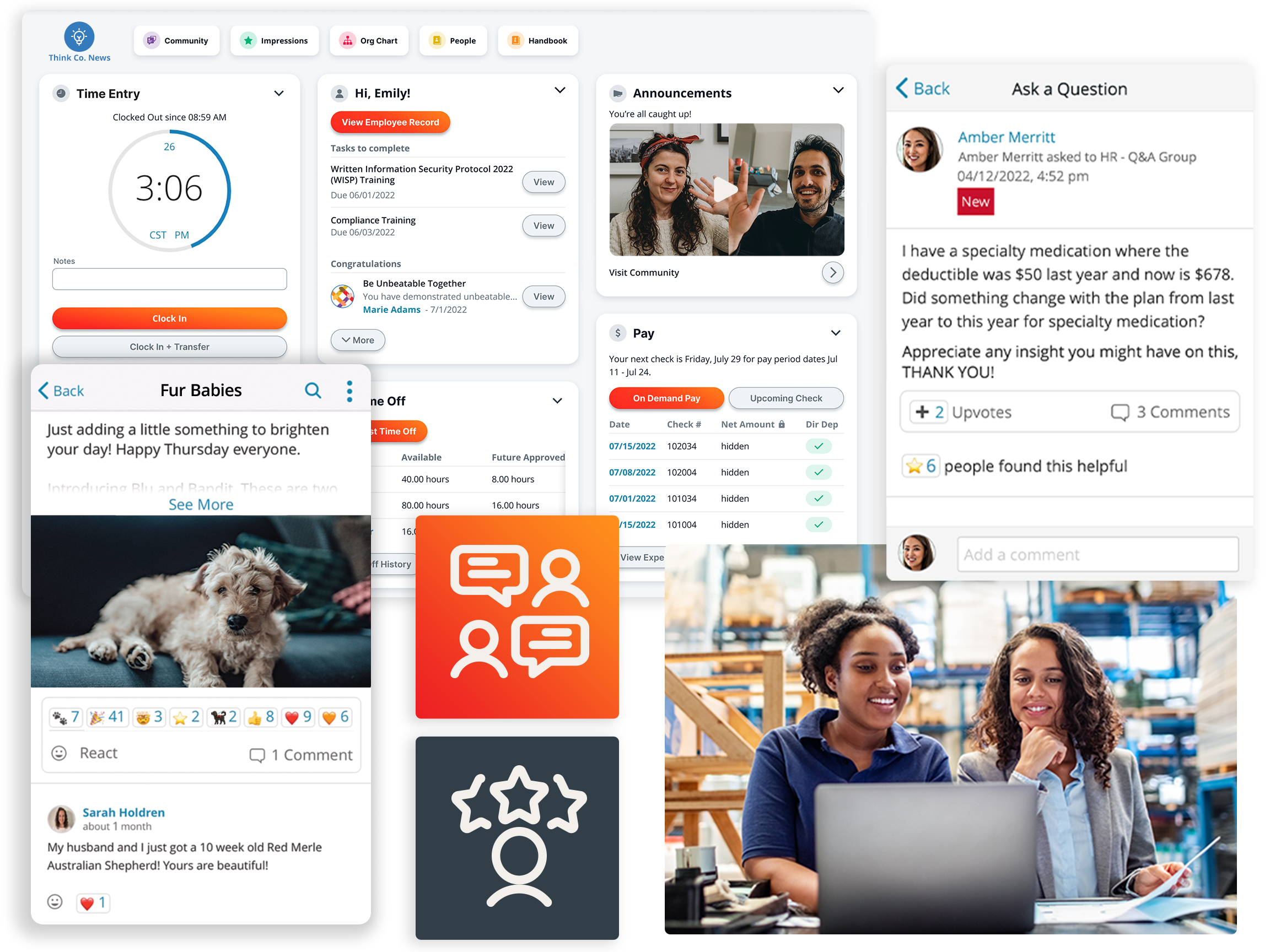
Unlock Your Company's Potential with Connected HR
From automating processes to driving culture, you need an HR system as connected to your company as you are. Discover how you can break down communication barriers, simplify processes, and drive a more connected workplace with an all-in-one platform.
Related
![Top 10 Best Payroll Software for Small Businesses [2026]](https://s7d9.scene7.com/is/image/paylocity/best-payroll-software-hero?$Hero-Card$)
Top 10 Best Payroll Software for Small Businesses [2026]
