
Best Benefits Administration Software: 10 Top Picks
Key Takeaways
- This roundup features Paylocity alongside major platforms like ADP, Rippling, and Employee Navigator.
- The right benefits administration software reduces HR's manual workload while helping employees understand and use their benefits.
- Benefits administration platforms generally split into all-in-one HR suites, like Paylocity, and standalone tools built to plug into existing payroll systems.
- Paylocity pairs AI-guided benefits enrollment with payroll and HR in a single platform, cutting down on the manual reconciliation work standalone tools require.
Companies without a unified benefits system spend up to four times longer fixing enrollment errors than those with integrated platforms, according to Paylocity’s State of Payroll survey. That difference grows sharper as headcount grows.
Every benefits administration platform promises to simplify enrollment and cut errors, but few actually deliver.
This guide compares 10 top options on the market, covering what each does well, how pricing works, and where they fall short, so you can find the right fit for your business.
The best benefits administration software of 2026
| Platform | Best for | Key features | Pricing |
|---|---|---|---|
| Paylocity | Unifying benefits, payroll, and HR in one AI-native platform |
|
Custom |
| Benefitfocus | Employers with complex benefits programs |
|
Custom |
| Employee Navigator | Brokers and HR teams managing benefits across businesses of varying sizes |
|
Custom
|
| Ease | Brokers managing small-group books of business, and their employer clients |
|
Custom
|
| bswift | Organizations with complex, multi-location or union workforces |
|
Custom
|
| PlanSource | Leaders wanting a standalone platform that connects cleanly to existing HRIS/payroll |
|
Custom
|
| Empyrean | Complex enterprises needing high-touch, configurable benefits administration |
|
Custom
|
| Paycom | Employee-driven HR/payroll automation |
|
Custom
|
| ADP Workforce Now | Large-scale compensation benchmarking data alongside payroll accuracy tools |
|
Custom
|
| Rippling | IT device and identity management |
|
Custom |
1. Paylocity
-1?ts=1792597137182&$ProductTIleImage$&dpr=off)
Best for: Unifying benefits, payroll, and HR in one AI-native platform
Most benefits administration tools either bolt onto payroll and HR systems or operate entirely on their own, leaving IT teams to manage the connections between them.
Paylocity takes a different approach, building benefits into the same platform as payroll and HR rather than integrating them after the fact. That unified system extends to companies with employees abroad through Paylocity's global payroll offering, so international expansion doesn't require bolting on a separate system.
Paylocity holds a 4.4 out of 5 rating across more than 6,200 reviews. Many note how much manual work disappears once benefits and payroll updates flow through a single system rather than several disconnected ones. Users frequently cite smoother open enrollment and fewer manual updates as the most noticeable day-to-day benefits.
Key features:
- AI-powered decision support for benefit selection: Employees get guided recommendations for comparing plans and choosing coverage, rather than working from a static comparison sheet.
- Real-time carrier sync: Enrollment and eligibility changes are automatically transmitted to insurance carriers, reducing lag and errors common with manual data transfers.
- Automated enrollment reminders: Employees and HR both get prompts throughout open enrollment and during qualifying life events, which helps reduce missed deadlines.
- Compliance dashboard (ACA/EEO tracking): Compliance data lives in one place, giving HR teams real-time visibility into Affordable Care Act (ACA) and Equal Employment Opportunity (EEO) requirements as regulations change.
- FSA/HSA support: Flexible spending and health savings account elections are managed directly within the platform.
Pricing: Custom

2. Benefitfocus

Best for: Employers with complex benefits programs
Benefitfocus is designed to support a wide range of plan types and complex carrier connections. It gives employers a single, dedicated system to manage the full benefits lifecycle, from enrollment through ongoing plan communications.
Reviewers frequently praise Benefitfocus's dedicated account managers and describe the platform as a comprehensive hub for benefits communications and enrollment. However, some longer-term customers report inconsistent account manager continuity, and a few note that connecting to non-preferred carrier data feeds can take longer than expected.G2.com - Benefitfocus Reviews 2026: Details, Pricing, & Features
Key features:
- Unified enrollment portal: Employees enroll and manage plan details from one central hub, rather than jumping between separate systems for communications and paperwork.
- Decision-support tools: Guided tools help employees weigh coverage options against their own needs before they commit to a plan.
- HITRUST/PCI DSS-certified data security: These certifications reflect independently audited standards for protecting sensitive health and payment data.
Pricing: Custom
3. Employee Navigator

Best for: Brokers and HR teams managing benefits across businesses of varying sizes
Insurance brokers are often the ones choosing Employee Navigator, not the employers who end up using it. Brokers manage carrier connections and client benefits from one system across their book of business, then hand employers a ready-to-use portal. Employee Navigator integrates with many different HRIS platforms, including Paylocity, Paychex, and ADP.
Users most often praise Employee Navigator's customer support and its integrations with payroll systems and insurance carriers, which reduce manual data entry.
Reporting is a weaker spot, with some describing it as outdated and lacking customization, and a few new users note a learning curve during vendor integration setup.G2.com - Employee Navigator Reviews 2026: Details, Pricing, & Features
Key features:
- Online benefits administration: Employees review plan options and submit elections through a self-service portal, while brokers and HR manage eligibility and carrier updates on the back end.
- New-hire onboarding: New employees complete paperwork and benefits enrollment digitally before their start date, cutting down on first-week administrative tasks.
- Automated ACA reporting: The platform generates required 1094/1095 filings automatically, reducing the manual tracking involved in staying compliant each year.
Pricing: Customemployeenavigator.com, Pricing - Employee Navigator
4. Ease

Best for: Brokers managing small-group books of business and their employer clients
Ease was built around small-group insurance brokers first and employers second, with brokers managing accounts on their clients' behalf. Marketplace integrations let brokers pull instant small-group quotes and manage multiple client accounts from the same system. Integration with payroll providers, like Paylocity and Bamboo HR, allow for easy data flow between the two platforms.
Reviewers highlight fast employee onboarding and helpful support, with several noting the platform is easy to learn. Recurring complaints center on carrier integration gaps with major insurers, along with a broker-owned account structure that can complicate switching platforms later.G2.com - EASE Reviews 2026: Details, Pricing, & Features
Key features:
- Broker quoting tools: Brokers generate custom quotes and manage client accounts from the same system used for enrollment and administration.
- 24/7 employee benefits access: Employees view plan details and coverage information anytime through a self-service portal, without waiting on HR or a broker.
- Paperless enrollment: Enrollment happens entirely online, replacing the paper forms brokers and employers historically relied on.
Pricing: Customease.com - Ease Product Pricing
5. bswift

Best for: Organizations with complex, multi-location or union workforces
If your workforce is spread across multiple locations or bound by union contracts, bswift is built with such complexity in mind. CVS Health owns bswift, and that healthcare backing shows up in how deeply it can configure plans for organizations.
Reviewers highlight bswift's flexibility for complex benefit structures and its responsive phone support. Common complaints point to a slow, occasionally unresponsive interface, with some reporting it as cumbersome without extra help.Capterra.com - bswift Reviews 2026. Verified Reviews, Pros & Cons
Key features:
- AI-native platform (Emma Intelligence) for enrollment and decision support: Employees get plan-specific answers through an AI chat assistant, with a smooth handoff to a live person when questions get more complex.
- 550+ integrations:bswift.com - Benefits Platform Integrations & API Connectivity Pre-built connections to major HR systems, such as Paylocity, Workday, and ADP, keep data synced without custom development work.
- 24/7 employee service center: Support is available around the clock through Emma's AI chat or a live phone team, so employees aren't stuck waiting on HR for an answer.
Pricing: Custom
6. PlanSource

Best for: Leaders wanting a standalone platform that connects cleanly to existing HRIS/payroll
PlanSource leans hard into integrations, with APIs built specifically to sync plan configurations, rates, and enrollment changes with carriers and existing payroll systems in real time. The platform’s a common pick for HR leaders who already have a payroll or HCM system they like and don't want benefits software that requires switching everything else.
Reviewers often call out PlanSource's clean interface and how effectively it replaces paper enrollment with ACA-compliant digital workflows. On the flip side, several mention implementation timelines and support that can feel slower or more limited than expected.Capterra.com - PlanSource Reviews 2026. Verified Reviews, Pros & Cons
Key features:
- Benefits enrollment and administration: Employees complete enrollment digitally, while HR manages compliance tasks like ACA reporting and Consolidated Omnibus Budget Reconciliation Act (COBRA) administration from the same system.
- AI-assisted tools: A virtual assistant answers benefits questions around the clock, and AI-powered dependent verification cuts down on manual eligibility checks.
- Carrier/partner data connectivity: Plan configurations and enrollment changes sync automatically with carriers through dedicated APIs, replacing manual data handoffs.
Pricing: Custom
7. Empyrean

Best for: Complex enterprises needing high-touch, configurable benefits administration
Empyrean plays in a different tier than most of the platforms on this list, built for large employers with benefit programs too complex for a one-size-fits-all setup. Configuration and service both scale up here: dedicated account teams work alongside enterprise clients instead of routing them through general support queues.
Empyrean doesn't have much of a public review footprint compared to other platforms on this list, which tracks with its focus on large, enterprise-level clients. The limited feedback available points to a capable, comprehensive platform that can take some getting used to for employees who aren't especially tech-savvy.Capterra.com - Empyrean Benefits Administration Software Pricing, Alternatives & More 2026
Key features:
- Flexible plan configuration: The platform handles eligibility rules and enrollment workflows too specific for standard, out-of-the-box configurations.
- Dedicated service model: Employees reach representatives trained specifically on their company's benefits and culture, rather than a general support line.
- Enterprise-grade compliance support: ACA and COBRA administration are handled within the platform, reducing the compliance work HR has to manage manually.
Pricing: Custom
8. Paycom

Best for: Employee-driven HR/payroll automation
Paycom flips the usual payroll workflow on its head by having employees review and confirm their own paycheck before it's submitted, rather than leaving error-catching entirely to HR. That employee-driven approach carries over to other parts of the platform, where AI tools and automated approvals shift routine decisions directly from HR to employees and managers.
Reviewers frequently highlight how much Paycom consolidates into a single system, as well as its responsive customer support that's easy to reach directly.
Some mention a steeper learning curve navigating the platform's many features, along with occasional turnover among account representatives that can disrupt continuity.G2.com - Paycom Reviews, Pros + Cons, and Top Rated Features
Key features:
- Benefits to Carrier: After employees finish enrollment, chosen benefits automatically flow into payroll and your plan providers.
- Benefits enrollment service: Leverage a benefits coordinator to help plan and facilitate open enrollment.
- IWant™ AI search: Employees and HR search for answers or complete tasks using plain-language commands instead of manually navigating menus.
Pricing: CustomPaycom.com - Paycom HR Software Pricing
9. ADP Workforce Now

Best for: Large-scale compensation benchmarking data alongside payroll accuracy tools
Decades in the payroll business have given ADP access to benchmarking data pulled from more than 39 million U.S. employees.ADP.com - Workforce Now® All-In-One HR Software This data scale is essential to how the platform detects payroll issues, using AI to flag anomalies before they become bigger problems.
Reviewers consistently point to ADP's dependable payroll processing and its employee self-service tools for accessing pay stubs and benefits information.
The most common complaints concern the platform's older interface, which some describe as rigid and requiring extra steps, and the custom reporting, which reviewers frequently call overly complex to configure.Capterra.com - ADP Workforce Now Reviews 2026. Verified Reviews, Pros & Cons
Key features:
- Comprehensive Services for benefits administration: Specialists are available through ADP Comprehensive Services to help manage benefits administration, including ACA filing, vendor invoice reconciliation, plan configuration, and open enrollment support.
- Compensation benchmarking: Employers compare pay against data from more than 39 million U.S. employees to see how their compensation stacks up.
- 900+ direct carrier connections:ADP.com - Insurance Benefits Carrier Integrations Enrollment and eligibility data are transmitted directly to a large network of insurance carriers and financial institutions, cutting down on manual file transfers.
Pricing: CustomADP.com - Options and Pricing for ADP Workforce Now®
10. Rippling

Best for: IT device and identity management
Rippling built its platform to handle both IT and HR from the same identity system, so provisioning a new employee's laptop and setting up their payroll both happen through the same workflow.
Reviewers frequently praise Rippling's clean interface and strong security controls, including built-in SSO and audit logging. Some describe a learning curve when first setting up the platform's many modules.
Pricing also isn't fully clear until modular add-ons are discussed with sales, which is a common reason companies start comparing Rippling alternatives in the first place.Capterra.com - Rippling Reviews 2026. Verified Reviews, Pros & Cons
Key features:
- Global payroll across multiple countries: Employees and contractors get paid in their local currency, with tax compliance handled for each country automatically.
- Employer of Record (EOR) services: Companies can hire employees in countries where they have no legal entity, with Rippling acting as the legal employer for payroll and compliance.
- Automated EOI Processing: Upload a carrier Evidence of Insurability (EOI) file to automatically associate decisions with employee records, update coverage information, and adjust payroll deductions in bulk.
Pricing: CustomRippling.com - The platform for companies that want to grow faster
Core capabilities of benefits administration solutions
Before comparing individual platforms, it helps to know what belongs on every shortlist. These are the capabilities worth confirming no matter which vendor you're evaluating:
- AI-powered decision support for benefit selection: Employees get guided recommendations for comparing plans and choosing coverage, rather than working from a static comparison sheet.
- Self-service open enrollment: Employees complete enrollment online in a step-by-step flow with cost breakdowns, while the system automatically applies eligibility rules and syncs deductions to payroll.
- Real-time carrier sync: Enrollment and eligibility changes transmit to insurance carriers automatically, cutting down on the lag and errors common with manual data transfers.
- Automated enrollment reminders: Employees and HR both get prompts throughout open enrollment and qualifying life events, which helps reduce missed deadlines.
- Compliance dashboard (ACA and EEO tracking, plus COBRA administration): Compliance data lives in one place, giving HR teams real-time visibility into requirements as regulations change.
- Benefits cost reporting: Dashboards show enrollment status and cost trends, supporting budgeting and plan design decisions.
- FSA/HSA support: Flexible spending and health savings account elections are managed directly within the platform.
- Data security and privacy controls: Employee health data stays protected with role-based access and strong security standards.
Why invest in benefits administration software?
Understanding what benefits administration software can do is one thing. Knowing why it's worth the investment is another.
Here's what changes when a company implements one of the top benefits administration software platforms.
Reduce HR's administrative workload
Automating enrollment and eligibility checks frees HR teams from the spreadsheets and manual data entry that eat up hours every cycle. HR benefits administration software also cuts down on the back-and-forth of reconciling carrier records by hand.
Less time spent fixing errors means more time for work that moves the business forward.
Minimize costly enrollment and compliance errors
A missed qualifying life event or a mismatched carrier file can turn into a coverage gap or a billing dispute fast. The right software catches these issues before they happen, applying the correct deduction and eligibility rules automatically.
That accuracy protects both the company's budget and employees' trust in their coverage.
Stay ahead of ACA, COBRA, and other compliance requirements
Regulations around ACA reporting and COBRA administration change often, and tracking them by hand leaves room for costly mistakes. Health benefits administration software builds these requirements directly into the platform, generating required filings and managing notices automatically.
Paylocity's compliance dashboard, for example, centralizes ACA and EEO tracking, so HR teams don't have to build it themselves. HR teams spend less time researching regulations and more time acting on what the software already knows.
Improve the employee benefits experience
Employees use and understand their benefits when they can browse options, get guided recommendations, and enroll from their phone. This kind of self-service experience is tied to stronger retention, since employees who feel confident about their coverage tend to stick around longer.
Some platforms, like Paylocity, take this further with AI-guided decision support that helps employees choose the right plan from the start.
Get better visibility into benefits costs
Reporting and analytics show participation and cost per plan in one place, giving HR a clear picture instead of scattered spreadsheets. Paylocity automates this kind of cost reporting directly within its benefits module, so HR isn't pulling numbers together by hand before a renewal conversation.
This visibility turns renewal season into a negotiation backed by real numbers, not guesswork.
Reap the benefits with Paylocity
Choosing the right benefits administration software comes down to matching a platform's strengths to what your team actually needs, whether that's deep compliance automation or a system built to scale with a complex workforce.
Paylocity's benefits software brings enrollment and compliance together with the rest of payroll, cutting out the reconciliation work a separate system usually creates. If unifying benefits with the rest of HR and payroll is the priority, it's worth a closer look.
Request a demo to walk through enrollment and compliance with a member of the team.
FAQs about benefits administration software
How much does benefits administration software cost?
Most benefits administration software runs on a per-employee-per-month (PEPM) pricing model, though almost no vendor publishes exact rates. Total cost typically includes implementation, carrier feed setup, and any add-on modules like ACA reporting, so it's worth asking for a full cost breakdown.
How long does it take to implement benefits administration software?
Implementation timelines for benefits administration software vary widely, from a few weeks for simpler standalone platforms to several months for complex, multi-carrier enterprise rollouts. The number of carriers involved, data cleanup needs, and whether payroll is switching at the same time all affect the timeline.
Can benefits administration software integrate with my existing payroll or HRIS system?
Standalone platforms like PlanSource and Employee Navigator are built to connect with whatever payroll or HRIS system a company already uses. In contrast, all-in-one platforms like Paylocity manage payroll and benefits within a unified system of record, helping reduce the need for separate integrations and manual data transfers between core HR and payroll workflows.
Do I still need benefits administration software if I work with an insurance broker?
Yes, you'll need a benefits administration software even if you're working with an insurance broker. Many platforms, like Employee Navigator and Ease, are broker-distributed, meaning your broker provides or subsidizes access as part of their service. The software shapes your actual enrollment experience and compliance support, so it's worth evaluating even when a broker is involved.
About the Author

Sources
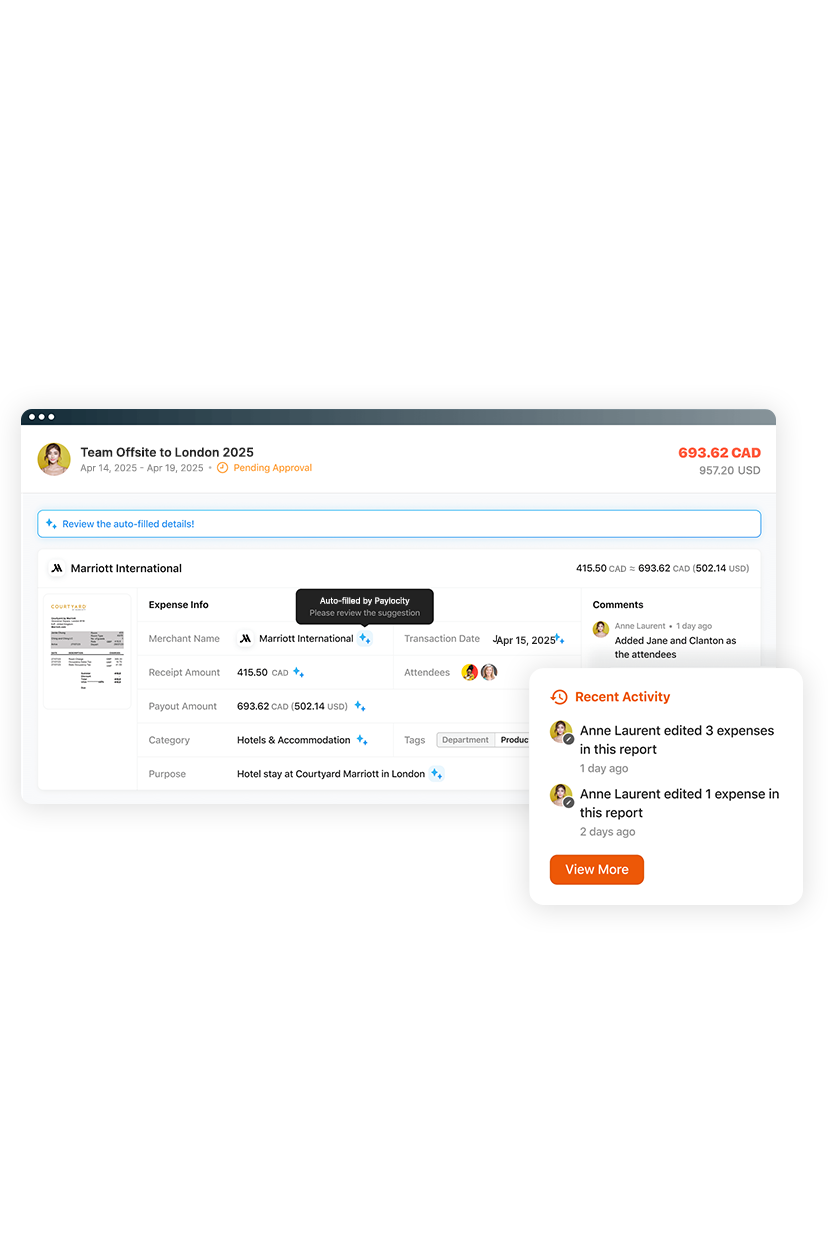
Seamless and adaptable Expense Management
Manual expense reporting wastes time and frustrates employees and finance teams. Paylocity for Finance automates the entire process with AI-powered, touchless workflows. Simply snap a receipt and get reimbursed fast — no spreadsheets, no delays. Finance gets real-time visibility, accurate coding, and a faster month-end close.
Related
![The 9 Best Payroll Software for Small Businesses [2026]](https://s7d9.scene7.com/is/image/paylocity/best-payroll-software-hero?$Hero-Card$)
The 9 Best Payroll Software for Small Businesses [2026]
