
10 best invoice capture software solutions
It's long past time to move beyond paper-heavy accounting and manual data entry. Today’s top invoice capture software eliminates the bottlenecks of lost invoices and late fees through secure, touchless invoice processing automation.
And we’re not talking about just basic scanning. Modern tools now use AI to understand your bills and do the heavy lifting for you.
In this guide, we evaluate the top 10 platforms to help you find the right balance between flawless data extraction and smarter spend management.
Top 10 invoice capture software of 2026
Here is a quick breakdown of the leading platforms available to help streamline your accounts payable processes.
| Platform | Best for | Key features | Pricing |
|---|---|---|---|
| Paylocity | Businesses seeking to eliminate silos by unifying HR, Finance, and IT in one platform |
|
Custom |
| BILL | Small businesses and solo bookkeepers |
|
Base plan starts at $49/user/mo. |
| Stampli | High-collaboration finance teams that handle complex approval chains and vendor disputes |
|
Custom |
| Tipalti |
High-growth enterprises managing high volumes of global vendors |
|
Base plan starts at $99/mo. |
| Ramp | Cost-conscious startups looking to merge corporate card spend with automated invoice workflows |
|
Free plan available, with paid plans starting at $15/user/mo. |
| Vic.ai | Enterprise-level firms aiming for touchless, autonomous accounting |
|
Custom |
| AvidXchange | Mid-sized companies seeking access to a pre-enrolled supplier payment network |
|
Custom |
| Rossum | Global organizations processing high volumes of multilingual or non-standard invoice layouts |
|
Base plan starts at $18,000/yr. |
| Lido | Finance teams who want the flexibility of a spreadsheet with the power of automated data extraction |
|
Free plan available up to 50 pages, with paid plans starting at $29/mo. for 100 pages |
| Quadient AP | Multi-entity organizations requiring centralized control and deep Sage or NetSuite integration |
|
Custom |
1. Paylocity

Best for: Businesses seeking to eliminate silos by unifying HR, Finance, and IT in one platform
Paylocity goes beyond traditional AP automation software by offering a unified approach to spend management. The platform is designed for businesses that want to connect their accounts payable seamlessly with their human capital management. By bringing these systems together, finance teams can eliminate data silos and achieve a complete view of organizational cash flow.
G2 rates Paylocity as a leader in the Invoice Automation category, with 93% of users likely to recommend the platform. Customers also appreciate the overall user experience, noting strong scores like an 90% for ease of administration and 93% for payment and payment tracking capabilities.G2.com – Grid Report for Invoice Automation | Summer 2026 | Paylocity
Key features:
- AI-powered invoice capture: The platform automatically extracts invoice data to reduce manual entry, speed up invoice intake, and minimize errors.
- Automated coding and validation: Paylocity helps ensure invoice details are captured accurately and mapped to the right departments, locations, accounts, or business rules before approval.
- Configurable approval workflows: The software routes invoices to the right approvers based on employee, department, role, location, or custom approval logic.
- Unified visibility across payroll and non-payroll spend: Paylocity connects accounts payable and finance workflows with employee data, giving teams a clearer view of company spend tied to a single employee record.
Pricing: Custom

2. BILL

Best for: Small businesses and solo bookkeepers
BILL is a widely recognized AP software that simplifies accounts payable for smaller operations and solo bookkeepers. It provides an intuitive interface that makes it easy to manage incoming bills without needing extensive technical training. The system allows businesses to handle the entire payment execution process in one place using integrated digital payment methods.
Customers generally find the system simple to manage, awarding it 89% for ease of administration. However, businesses looking for deeper financial insights may find it limiting, as reviewers score the platform at just 81% for its cashflow management features.
Additionally, some users note ongoing friction when troubleshooting complex ledger issues, with the company receiving a lower 83% rating for its quality of support.
Key features:
- Intelligent virtual assistant: This tool automates the initial capture of incoming invoice data so you don’t have to type it manually. It learns your vendor preferences over time to help speed up the approval process.
- Two-way sync: The platform keeps your general ledger up to date through direct integrations with major accounting software. This ensures your financial data stays perfectly aligned without requiring manual uploads.
- Integrated digital payments: Users can easily complete end-to-end payment execution via ACH, virtual card, or paper check. This flexibility lets you pay vendors exactly how they prefer, all from one dashboard.
Pricing: Base plan starts at $49/user/monthbill.com - Pricing
3. Stampli

Best for: High-collaboration finance teams that handle complex approval chains and vendor disputes
Stampli bridges the gap between accounts payable and the rest of the organization by turning individual invoices into communication hubs. It is effective for collaborative teams that need to work together quickly to resolve discrepancies or approve purchases. The platform focuses heavily on keeping all conversations and documentation tied directly to the relevant invoice.
Reviewers consistently praise the platform for its powerful artificial intelligence that learns user behavior to quickly route bills to the correct accounts. However, some users mention experiencing occasional delays in bank reconciliation, which can temporarily stall financial reporting.Capterra.com - Stampli Reviews 2026. Verified Reviews, Pros & Cons This means the system is ideal for teams focused primarily on data-entry speed but less suited for organizations that require instant updates to their banking ledgers.
Key features:
- Billy the Bot AI-driven coding: This smart engine learns from your previous actions to predict accurate general ledger coding. It significantly reduces the time your team spends routing bills to the correct accounts.
- Centralized communication hub on invoices: The interface keeps all questions and answers tied directly to the relevant document to prevent lost emails. Approvers can ask questions and resolve issues directly on the invoice itself.
- Built-in 2-way and 3-way PO matching: The software performs native matching to automatically verify line items before payments are issued. This protects your business from overpaying or processing duplicate vendor charges.
Pricing: Custom
4. Tipalti

Best for: High-growth enterprises managing high volumes of global vendors
Tipalti focuses on the unique complexities of scaling global payables for high-growth enterprises. It excels in navigating the complicated regulatory and tax requirements associated with paying international suppliers in different currencies. The software provides a suite of tools designed to handle global vendor onboarding and payment execution safely.
When it comes to processing complex international payments across different currencies, the platform receives high praise from users. On the flip side, several reviewers note that fully implementing the system takes considerable time.Capterra.com - Tipalti Reviews 2026. Verified Reviews, Pros & Cons While the software easily handles massive global payment runs, you might need to spend extra effort working around its somewhat rigid internal reporting tools.
Key features:
- Global payment coverage across 196 countries: The platform facilitates vendor payments in local currencies across 196 countries.Tipalti.com - AI-Powered AP Automation Software This makes it incredibly easy to scale your operations internationally without the headaches of banking.
- Automated tax form collection and validation: The system collects and validates tax documents automatically to reduce your regulatory risks. It ensures you remain compliant with local tax laws as your vendor list grows.
- Enterprise-grade fraud detection and compliance: Advanced security measures proactively protect large operations from bad actors and duplicate billing. This gives enterprise finance teams peace of mind before authorizing massive payment runs.
Pricing: Base plan starts at $99/monthTipalti.com - Pricing
5. Ramp

Best for: Cost-conscious startups looking to merge corporate card spend with automated invoice workflows
Ramp combines corporate cards with invoice management software to give startups a single platform for all company expenditures. The system is heavily focused on identifying savings opportunities and keeping lean teams strictly within their budget. By merging daily card purchases with traditional vendor bills, the software provides a complete picture of exactly where your money is going.
The platform is incredibly popular with growing teams because it offers a free tierRamp.com - Pricing that covers many core accounting features. This makes it an ideal starting point for smaller companies looking to eliminate manual data entry without incurring a massive monthly software bill. However, businesses with highly complex global operations may eventually need to upgrade to paid tiers to unlock advanced enterprise capabilities.
Key features:
- Automated receipt and invoice matching: The software uses advanced AI to match your documents directly to purchase orders, so you never accidentally pay a duplicate invoice.
- Price intelligence to flag overspending: The platform automatically flags price increases on your vendor bills to help your team negotiate better rates and prevent overspending.
- Seamless corporate card integration: Ramp unifies your daily employee card spending with your accounts payable workflows in a single dashboard to give leadership total visibility into company expenses.
Pricing: Free plan available, with paid plans starting at $15/user/monthRamp.com - Pricing
6. Vic.ai

Best for: Enterprise-level firms aiming for touchless, autonomous accounting
Vic.ai pushes the boundaries of standard automation by aiming for a completely touchless process using advanced predictive models. It is built for large firms dealing with massive invoice volumes that require accurate coding without human intervention. The platform uses proprietary artificial intelligence to continuously learn and optimize your accounts payable workflows.
Users frequently highlight the highly intuitive design that makes autonomous accounting possible. However, you should be prepared for a lengthy initial training period, as experts point out that the system needs to process a lot of historical data before achieving full automation.kenfromfinance.com - Stampli vs Vic.ai (2026): AI-Powered AP Automation Compared Because of this setup time, the software serves high-volume enterprises well, but might frustrate smaller teams looking for immediate collaborative document review.
Key features:
- Zero-touch autonomous invoice processing: The software aims to minimize human intervention entirely for processing your standardized bills. This lets your finance team focus on high-level strategy rather than approving basic monthly expenses.
- Proprietary AI for predictive GL coding: Advanced algorithms analyze your past financial behavior to deliver highly accurate account routing without manual rules. The system gets smarter over time to ensure fewer coding errors during your month-end close.
- Real-time ROI and efficiency analytics: The dashboard tracks the exact time and money saved by your autonomous workflows. You can clearly see the return on investment your team gets from implementing the software.
Pricing: CustomVic.ai - Book a demo
7. AvidXchange

Best for: Mid-sized companies seeking access to a pre-enrolled supplier payment network
AvidXchange stands out because it already has a massive network of suppliers ready to accept payments. This built-in network means growing businesses can start paying people electronically right away instead of manually setting up banking details for every single vendor. The software also connects easily with most accounting tools, so it works wonderfully for industries that have really specific billing rules.
Users appreciate how easy the platform is to use, even if you are not an accountant. On the downside, some users mention that getting a hold of customer support can take a lot longer than you might expect.http://capterra.com- AvidXchange Reviews 2026. Verified Reviews, Pros & Cons This means the tool is fantastic when everything runs smoothly, but it could frustrate your team if you ever need fast technical help.
Key features:
- Access to a network of 700,000+ vendors:Avidxchange.com - Online AP Solutions | AP Automation Software The platform connects you directly with over 700,000 vendors, so your team spends less time hunting down bank details and can quickly pay partners exactly how they want.
- Industry-specific approval workflows: The software lets you build custom approval steps that perfectly handle the unique billing quirks of complex fields like real estate without forcing you to change how your company operates.
- Electronic payment conversion services: Dedicated experts work behind the scenes to help you earn electronic payment rebates and take the headache of troubleshooting payments entirely off your plate.
Pricing: CustomAvidxchange.com - Request a demo
8. Rossum

Best for: Global organizations processing high volumes of multilingual or non-standard invoice layouts
Rossum provides advanced document processing specifically for global enterprises. The software eliminates the need for manual data entry by using advanced AI to read complex invoices exactly like a human would. This flexible approach allows finance teams to automate their workflows regardless of how often their vendors change billing formats.
The platform is highly rated by enterprise users who process thousands of documents every single month. Customers appreciate the high accuracy rates, which significantly reduce the time spent on manual document review. However, smaller businesses should note that the system requires a massive upfront investment and a very complex onboarding process.G2.com - Rossum Reviews 2026: Details, Pricing, & Features
Key features:
- Template-free extraction for complex layouts: The software uses advanced AI to pull data from complex document layouts without requiring you to build custom rules for every new vendor.
- Support for 200+ languagesRossum.ai - Rossum for Accounts Payable and scripts: The platform accurately reads and processes invoices in over two hundred languages to easily support your massive international supply chains.
- Cognitive data validation interface: Your finance team can easily review and correct flagged documents within an ergonomic interface that continuously teaches the AI to improve over time.
Pricing: Base plan starts at $18,000/yearRossum.ai - Pricing
9. Lido

Best for: Finance teams who want the flexibility of a spreadsheet with the power of automated data extraction
Lido provides a unique spreadsheet-first approach to accounts payable, combining familiar table-based logic with advanced document management. The software easily converts scanned invoices into spreadsheets, so teams can build custom automation workflows using the formulas they already know.
The platform is popular among data-driven teams looking for extreme flexibility. Online reviews praise its intuitive interface and the massive time savings generated by automating repetitive manual entry tasks. However, some users mention that the system occasionally struggles to parse information correctly from invoices with highly inconsistent or unusual formatting.G2.com - Lido Reviews 2026: Details, Pricing, & Features
Key features:
- Automated data fetching from email and cloud storage: The system automatically pulls new files from platforms like Google Drive directly into your workspace, so you never have to manually download and upload attachments.
- Spreadsheet native logic for custom invoice validation: Users can write familiar formula-based rules to instantly validate line items and flag billing discrepancies without needing any programming knowledge.
- One-click action buttons to trigger external workflows: Teams can easily push approved invoice data to external accounting systems or send team notifications with a single button right inside the spreadsheet.
Pricing: Free plan available up to 50 pages, with paid plans starting at $29/month for 100 pagesLido.app - Pricing
10. Quadient AP

Best for: Multi-entity organizations requiring centralized control and deep Sage or NetSuite integration
Quadient AP is built for complex organizational structures that need to manage multiple entities from a single login. It provides deep, specialized integrations designed specifically for mature ERP environments like Sage and NetSuite while unifying accounts payable and expense management into one centralized portal.
Users appreciate its centralized control and rate the platform 89% for daily administration on G2. However, some reviewers experience frustrating synchronization issues, which brings down its account sync capabilities score to 82%. Customers also note that document formatting can be restrictive.
Key features:
- Multi-entity management from one login: The portal centralizes operations and reporting for parent companies, so finance leaders can easily switch between business units without needing multiple logins.
- Specialized Sage and NetSuite integrations: The software ensures airtight data synchronization with Sage and NetSuite to prevent duplicate data entry.
- Combined AP and expense management: The system unifies different types of organizational spend processing into a single workflow where employees can submit their expense reports.
Pricing: Custom
Features to look for in invoice management solutions
When evaluating platforms, try to look past the basic features. Here are the core capabilities that will actually save your team time and money over the long haul.
AI vs. OCR
Basic OCR technology just scrapes text off a page, leaving you to clean up the errors. Today's AI actually reads and understands your invoices. It can easily distinguish between a billing address and a shipping address, so you get accurate data without having to set up manual templates for each new vendor.
2-way and 3-way matching
To avoid overpaying, your software needs to automatically verify invoices. The best tools handle two-way and three-way matching for you, automatically cross-referencing incoming bills against your original purchase orders and packing slips to ensure everything lines up.
Duplicate and fraud detection
Mistakes happen, and sometimes vendors accidentally double-bill. Look for software that automatically catches duplicate invoices and flags suspicious activity long before a payment ever goes out.
Direct ERP integration
A real-time connection to accounting systems like NetSuite, QuickBooks, or Xero is essential.
Paylocity’s direct integration takes this a step further: when an invoice is coded to a department, it automatically lines up with the labor and headcount data you already have. Instead of just moving data around, you get a complete picture of your expenses in one place. This speeds up your month-end close and stops the manual back-and-forth between Finance and HR.
Benefits of using invoice capture software
Setting up the best invoice processing software makes a massive difference for your entire finance team. Here are the main benefits you can expect.
- All your data in one place: You no longer have to dig through email threads or filing cabinets to find what you need. All your invoices, purchase orders, and payment records live in one secure, searchable location.
- Automatic tax and fraud detection: Modern invoice capture software automatically catches duplicate invoices and spots suspicious billing. It also handles tax compliance, like tracking W-9s, so you don’t have to worry about surprise penalties or lost money.
- No more manual data entry: AI reads your invoices and pulls the data for you. This saves your team hours of typing, reduces mistakes, and lets everyone focus on more important strategic work.
- Better cash flow visibility: Because invoices are captured as soon as they arrive, you always know exactly what you owe. This helps leadership make smarter decisions about budgets and cash flow.
- Consistent, audit-ready workflows: Digital approval workflows make sure every invoice goes through the proper channels. This creates a clear paper trail that makes month-end closes and yearly reporting much easier.
- Scalable AP operations: Whether you process 50 invoices a month or 5,000, the software easily handles the extra volume. You can scale your business without hiring more administrative staff just to keep up with paperwork.
How to choose the best invoice capture software
With so many options out there, it can be hard to know where to start. Here is what you should look for to find the perfect fit for your team.
- Focus on AI instead of manual templates: Basic text scanning is outdated. Today's tools use AI to actually read any invoice layout instantly. This means you don’t have to manually map out fields whenever you add a new vendor.
- Find direct software integrations: The system needs to sync directly with your general ledger, like NetSuite, QuickBooks, or Sage. This keeps your data moving smoothly and completely eliminates the need to manually download and upload spreadsheet files.
- Look for complete automation: A great tool does more than just pull data. It manages the entire process from matching purchase orders and routing approvals to actually paying your vendors.
- Make sure it is easy to use: A simple design helps your team get up to speed faster. It also lets managers outside of the finance department approve bills quickly from anywhere, so payments never get stuck.
- Check for strong security: Compliance with privacy standards like SOC 2, GDPR, and HIPAA is incredibly important. You also want built-in fraud detection that catches duplicate bills or unusual vendor activity before any money leaves your account.
- Plan for growth and clear pricing: Your software needs to grow right alongside your business. Look for predictable pricing models, so you are not hit with surprise per-user fees as your finance department gets bigger.
Transform your finance operations with Paylocity’s unified spend management
Finding the best invoice capture software comes down to choosing a tool that grows alongside your business. You want a tool that eliminates the stress of managing separate systems and scattered financial data.
When you connect your accounts payable directly to your payroll and HR platform using Paylocity, everything changes for your finance team. You move away from isolated software and create a completely automated process that gives leadership a clear view of your total cash flow.
Ready to see how managing all your spending in one place can save your team hours of frustrating busywork?
Explore Paylocity's AP automation solutions to learn more, or request a demo today to find out exactly how we can simplify your everyday tasks.
About the Author

Sources
Make your first impression count
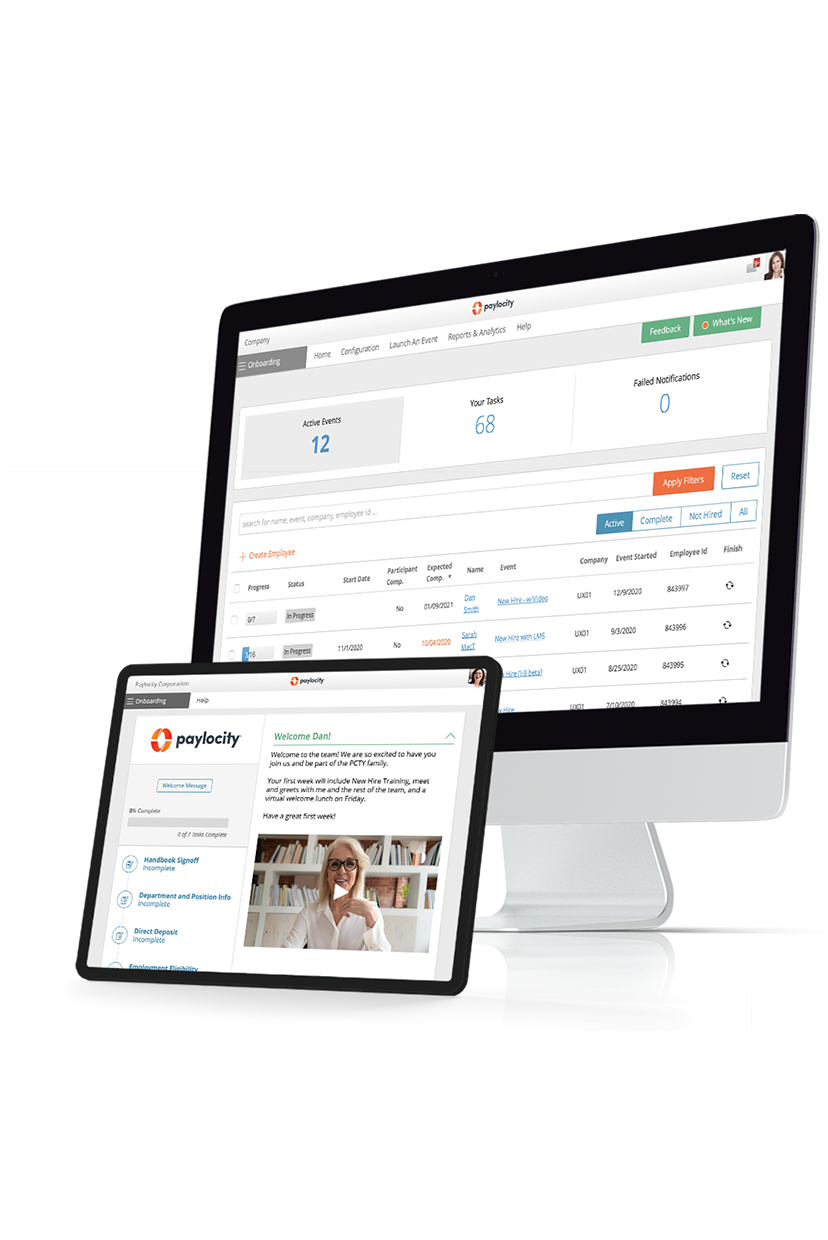
An impactful employee experience begins before day one. Make data collection, tax paperwork, and direct deposit setup seamless so you can begin engaging your new employees immediately with our onboarding tool. Help make your new hire’s first day memorable in the best way possible with less process and more human connection.
Related

The 10 Best HRIS Software for HR Managers
![The 9 Best Payroll Software for Small Businesses [2026]](https://s7d9.scene7.com/is/image/paylocity/best-payroll-software-hero?$Hero-Card$)