
10 Top Employee Training Software Platforms Compared (Features & Pricing)
Every new hire gets a different version of "onboarding." One manager walks them through everything. Another hands them a PDF and says, "Good luck." Multiply that across locations and shifts, and training turns into a patchwork of whatever each manager has time for.
Employee training software fixes this by design. As part of a solid HRIS setup, the right platform standardizes training, automates the busywork, and scales your program as headcount grows.
Below, we'll compare a few top employee training software platforms, then cover what to look for to pick the right fit.
Top employee training software of 2026
| Platform | Best for | Key features | Pricing |
|---|---|---|---|
| Paylocity | Mid-market companies that want training built into their HCM, not bolted on |
|
Custom |
| Connecteam | Frontline and deskless teams that train entirely on mobile |
|
Free Basic: $29/mo. Advanced: $49/mo. Expert: $99/mo. Enterprise: Custom |
| iSpring Learn | Teams that want course authoring and an LMS in one package |
|
Business: 100 users: $6.91/user/mo. 300 users: $4.46/user/mo. 500 users: $3.97/user/mo. Enterprise: Custom |
| TalentLMS |
SMBs training employees, partners, and customers from one account |
|
Core: $119/mo. Grow: $229/mo. Pro: $449/mo. Enterprise: Custom |
| Absorb LMS | Enterprise teams scaling compliance training across large workforces |
|
Custom |
| 360Learning | Companies that want internal SMEs to build and maintain training content |
|
Team: $8/user/mo. Business: Custom Enterprise: Custom |
| Trainual | Growing businesses turning SOPs into repeatable employee training |
|
Custom |
| Docebo | Companies connecting learning programs to measurable business outcomes |
|
Custom |
| LearnUpon | Organizations running separate training environments for employees, customers, and partners |
|
Custom |
| Rippling | HR teams that want training auto-triggered by workforce events |
|
Custom |
1. Paylocity
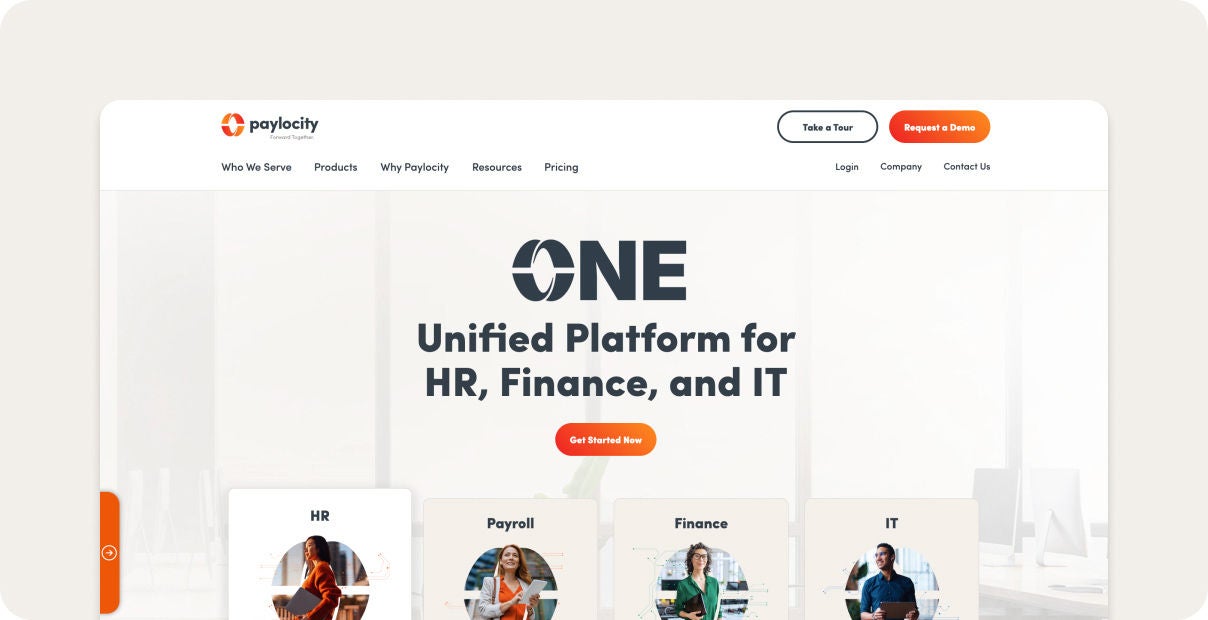
Best for: Unifying employee training, payroll, HR, and compliance in one platform
Paylocity builds training directly into the same platform you already use for payroll and HR. You get hundreds of ready-made courses covering safety, compliance, and professional development, plus specialized bundles like workplace safety and OSHA training, Healthcare training, and a Go1 integration for even more variety.
New hire training and recurring courses run automatically, so nothing depends on someone remembering to assign them. Compliance stays on track, too, with automated recordkeeping that keeps every course completion tracked and audit-ready.
Employees can even learn from each other, since your in-house experts can create and share their own training across the company.
Key features:
- Employee record-to-learning sync: Because training lives on the same platform as your employee's record and HR data, there's no separate system to manage. Everything stays connected, so training updates keep pace with your workforce automatically.
- Compliance tracking tied to employee record: Automated recordkeeping tracks every completion in real time. That keeps your compliance training audit-ready without extra admin work.
- Self-serve training experience: Allows employees to browse available courses, discover relevant training, and enroll independently without requiring HR or manager approval or involvement.
- AI-powered course recommendations: Uses AI to suggest relevant training based on employees’ roles, skills, and learning needs, helping them discover courses that support their professional development.
- Seamless mobile learning experience: Enables deskless employees to complete training directly from the same mobile app they use to clock in, request time off, and manage other workplace tasks.
- Learning paths for structured development: Helps organizations create goal-oriented training journeys by grouping individual courses into structured curricula, with automated assignments based on employee roles, onboarding milestones, or recurring training requirements.
- Out-of-the-box compliance training: Provides ready-to-use training bundles, including OSHA and healthcare-focused content, while integrating with leading content providers like Go1 to keep courses updated and eliminate the need to manage multiple platforms or logins.
Pricing: Custom
2. Connecteam

Best for: Frontline and deskless teams that train entirely on mobile.
Connecteam packages employee training into the same app your frontline team already uses for scheduling and communication. Managers can build courses with videos, PDFs, quizzes, and surveys, or pull existing materials straight from Google Drive, Dropbox, or YouTube. New hires get a customizable digital onboarding flow with forms and deadlines.
Admins can track completion and progress from a central dashboard. Since it's mobile-first, employees can complete training on their own schedule, right from their phones.
Key features:
- Mobile-first course builder: Managers build courses right in the app using videos, PDFs, quizzes, and surveys, or pull in existing materials from Google Drive, Dropbox, or YouTube.
- Per-hub modular pricing: Connecteam splits its platform into three hubs (Operations, Communications, and HR & Skills), and you only pay for the ones you need.
- Completion dashboards with certificate tracking: Admins get a central dashboard showing who's completed what, with visibility into progress and performance across the team.
Pricing:Connecteam - Pricing
- Free
- Basic: $29/month
- Advanced: $49/month
- Expert: $99/month
- Enterprise: Custom
3. iSpring Learn

Best for: Teams that want course authoring and an LMS in one package.
iSpring's biggest advantage is how familiar it feels. Its companion authoring tool builds directly into PowerPoint, so anyone who can put together a slide deck can create a course, add narration, and publish it without learning new software.
The AI assistant speeds things up further, generating course text, images, and quiz questions on the fly. Teams can also access over 2,300iSpring Learn ready-made slide templates, so courses don't have to be built from a blank page.
Key features:
- Integrated SCORM/xAPI course authoring: Import courses in SCORM, xAPI, or other standard formats without rework.
- Development Plans and OJT checklists: Build structured skill-development tracks and use observation checklists for consistent on-the-job training.
- Role-based automated enrollments: Automatic enrollment and re-enrollment keep role-specific training on schedule.
Pricing:iSpring Learn - Pricing
Business:
- 100 users: $6.91/user/month
- 300 users: $4.46/user/month
- 500 users: $3.97/user/month
Enterprise: Custom
4. TalentLMS

Best for: Workflow-automated time tracking and app-lock compliance
TalentLMS is built to get a training program up and running quickly, without IT support or a long setup process. Branches and groups let you organize learners by department, location, or franchise, so even complex org structures stay manageable within a single account.
If you're not ready to commit, TalentLMS also offers a free trial for up to 5 users with no end date, which is longer than most competitors' 30- or 60-day windows.
Key features:
- Branches and groups for org structure: Organize learners by department, location, or franchise, each with its own settings and reporting.
- Built-in gamification: Add points, badges, and leaderboards to boost learner motivation without extra setup.
- Real-time reporting dashboards: View learner progress and completions instantly, without building custom reports.
Pricing:TalentLMS - Pricing
- Core: $119/month
- Grow: $229/month
- Pro: $449/month
- Enterprise: Custom
5. Absorb LMS

Best for: Enterprise teams scaling compliance training across large workforces.
Absorb LMS is an employee training and development software that leans into AI to take work off admins' plates. Absorb Aura, a suite of AI agents built directly into the platform, handles a range of tasks, from generating personalized learning paths to powering conversational course creation.
Aura already knows who's certified, where skill gaps exist, and what training each learner still needs. This lets it ground its recommendations in real data rather than generic content suggestions.
Absorb Skills adds an AI-driven layer, delivering personalized learning paths and course recommendations based on each employee's role and skill gaps.
Key features:
- Absorb Aura AI agents: Built-in AI agents handle course creation, personalized learning paths, and routine admin questions.
- Absorb Skills AI-driven learning paths: Personalized learning paths pull from 20,000+ coursesAbsorb Skills - Courses to match employee roles and skill gaps.
- Automated certification tracking and re-enrollment: Certifications and re-enrollments run automatically, with instant visibility into who's compliant.
Pricing: Custom
6. 360Learning

Best for: Companies that want internal SMEs to build and maintain training content.
360Learning is a one-of-a-kind online staff training platform that lets anyone build training. Instead of L&D writing every course, the authoring tool is designed for anyone in the company, so in-house subject matter experts can create and update content themselves.
Learners also shape what gets built. They can flag gaps in their own knowledge and upvote what they want covered, so new training is prioritized based on real, declared demand rather than guesswork.
Key features:
- Collaborative course authoring with SMEs: Subject matter experts co-author and update courses directly, without needing an L&D background.
- Peer feedback loops in learning modules: Learners react to content, and courses with weak feedback automatically surface for revision.
- Learning needs detection via performance data: Employees can declare and upvote learning needs directly in the platform, surfacing real demand.
Pricing:360Learning - Pricing
- Team: $8/user/month
- Business: Custom
- Enterprise: Custom
7. Trainual

Best for: Growing businesses turning SOPs into repeatable employee training.
Trainual is built around your existing documentation. You can convert SOPs directly into step-by-step training modules, using AI to help generate content flowcharts and screen recordings along the way.[Text Wrapping Break]
An interactive org chart maps who reports to whom, and clicking any employee reveals their organizational responsibilities.
Training can be assigned by role and/or location, and once a subject to train the employee is documented, Trainual can automatically generate a knowledge test from that content.
Key features:
- SOP-to-training conversion: Turn existing SOPs into step-by-step training modules, with AI helping generate content along the way.
- Org chart with role-specific content: An interactive org chart shows reporting lines, roles, and responsibilities, with training assignable by role, team, or location.
- Auto-generated knowledge tests from SOPs: Generate test questions and answers directly from documented SOP content.
Pricing: Custom
8. Docebo

Best for: Companies connecting learning programs to measurable business outcomes.
Docebo is built for enterprise scale, going well beyond training your own employees.
Its extended enterprise capabilities let you deliver and even sell courses to customers, partners, and resellers from the same platform, all while keeping separate branding and permissions for each audience through its multi-tenant architecture.
If you don't want to build every course from scratch, Docebo's content marketplace gives you access to over 30,000 courses and certificationsStaffgrid - Docebo 2026 - Review from third-party providers, on top of whatever you create in-house.
Key features:
- AI content tagging and skill mapping: Auto-tagging and auto-skill assignment analyze uploaded content and automatically attach relevant tags and skills.
- Learning impact analytics: Built-in analytics tie training to business outcomes like retention, productivity, and revenue.
- Discover, Coach & Share social learning: Employees search content in natural language, get AI coaching nudges, and share their own vetted content.
Pricing: Custom
9. LearnUpon

Best for: Organizations running separate training environments for employees, customers, and partners.
LearnUpon is built for training beyond your own headcount. You can set up separate branded portals for customers and partners alongside your internal training, all managed from one dashboard.
If you sell your training, LearnUpon has built-in e-commerce. You can charge for courses and handle different currencies and tax rules without adding another tool. This setup is common in software and tech companies, where the same business often needs to train its own staff and its outside audiences differently.
Key features:
- Multi-portal architecture: Set up separate branded portals for different audiences, all managed from one dashboard.
- Global eCommerce engine: Charge for courses and handle different currencies and tax rules in one system.
- Built-in ILT and webinar management: Schedule and run live training sessions with Zoom and Microsoft Teams.
Pricing: Custom
10. Rippling

Best for: HR teams that want training auto-triggered by workforce events.
Rippling ties training directly to the rest of your HR system, so it reacts automatically when something changes. For example, if an employee gets promoted or moves to a new location, Rippling can automatically trigger the right training, without an admin having to set it up each time.
Compliance training has real teeth here, too. If someone hasn't finished a required course, Rippling can block them from clocking in for that job until they do.
Key features:
- Custom course builder: Build your own training content directly in Rippling instead of relying only on pre-made courses.
- AI-powered compliance reporting: AI-powered reports flag employees falling behind on required training before it becomes an audit issue.
- Go1 integration with 80,000+ courses:Rippling - Courses Access over 80,000 courses from outside providers through Rippling's Go1 partnership.
Pricing: Custom
How to choose employee training management software
Most platforms can handle the basics. The differences show up in edge cases such as compliance re-enrollment and training for people outside your payroll.
Here's what to check before you commit to a corporate training platform.
- Confirm HRIS and payroll integration compatibility. Make sure the training data can sync with the HR workflows you already use, so records update automatically.
- Check the ease of setting up role-based content and automated learning paths. Look at how much setup it takes to assign different training roles, and whether each assignment can run on its own once it's configured.
- Evaluate compliance tracking, reminders, and re-enrollment features. Confirm that the platform can track certifications, send reminders before they expire, and automatically re-enroll employees.
- Assess the depth and flexibility of reporting and performance dashboards. Check whether you can see completion and performance data at the level of detail you actually need, not just a top-line summary.
- Test mobile experience quality for frontline and deskless workers. If your team isn't at a desk, try the mobile app yourself before assuming it works well.
Train and manage your team in one platform with Paylocity
Choosing the right employee training software comes down to fit. What matters most is how well the platform handles your compliance requirements and whether your team can realistically use it on the go.
Paylocity LMS stands out by keeping training built into the same system as your payroll and HR data. That connection means records and roles stay in sync automatically, without the manual upkeep required when juggling separate platforms.
Ready to see it in action? Request a demo to walk through how Paylocity fits into your existing HR workflow.
Frequently asked questions
What is the difference between training software and learning software?
Training software focuses on assigning and tracking specific, often required training, like compliance courses or onboarding. Learning software (sometimes called an LXP) leans more toward self-directed growth, letting employees explore content based on their own interests and career goals.
Many platforms today blend both, but the core difference is who's driving the learning: the company or the employee.
Are online training courses customizable?
Yes, most platforms let you build your own courses from scratch or edit existing content to match your company's tools, tone, and processes.
You can add your own videos, documents, and quizzes, and many platforms also support importing courses built elsewhere in standard formats like SCORM.
Which training software will integrate deeply with our current HRIS system?
The tightest integration usually comes from training software built into your HRIS, since there's no separate system to sync with. Paylocity is a good example: because training lives on the same platform as your payroll and HR data, role changes and promotions update learning paths automatically, without any manual work on your end.
About the Author
Sources
Experiences for the modern employee
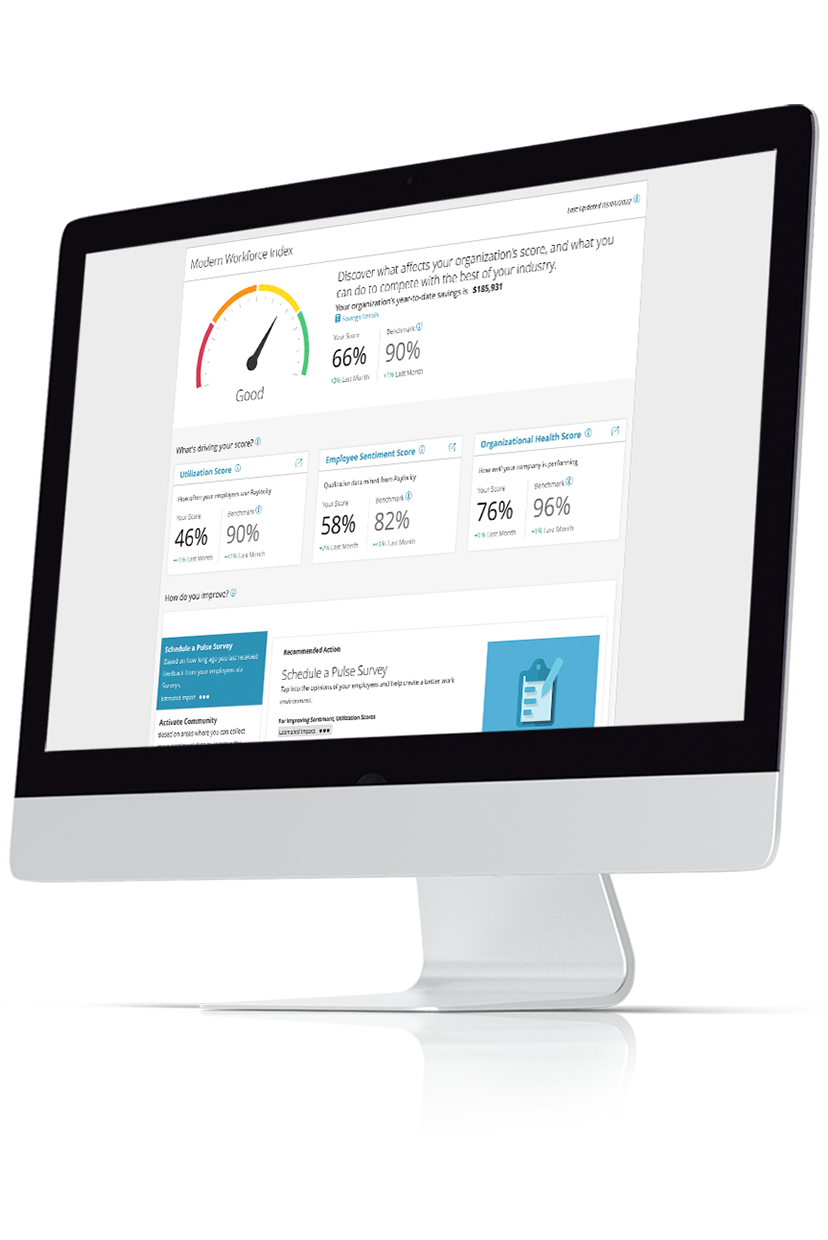
Your employees want communication, collaboration, and connection — to peers, career development, and growth. Empower them with modern, user-friendly tools that stand out from traditional HR functionality. Come together with social tools that encourage seamless collaboration. Move beyond email with video, text, and chat. Enable two-way feedback with surveys. See how Modern Workforce tools get it done today!
Related
![The 9 Best Payroll Software for Small Businesses [2026]](https://s7d9.scene7.com/is/image/paylocity/best-payroll-software-hero?$Hero-Card$)
The 9 Best Payroll Software for Small Businesses [2026]
