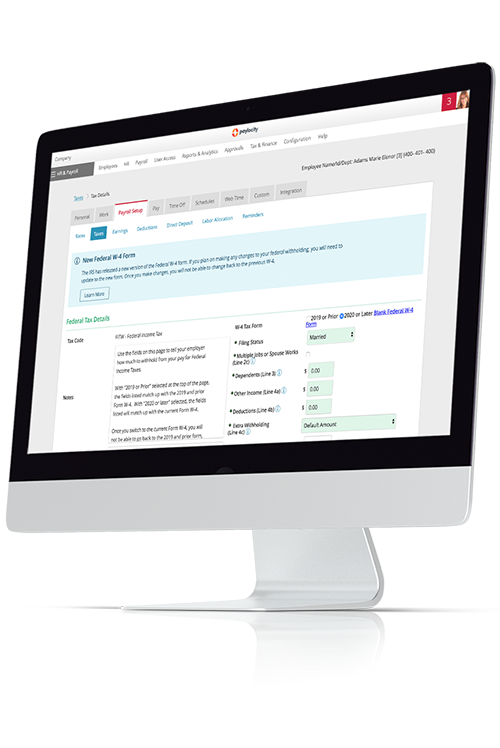
10 best expense management software tools for HR and finance teams
Managing employee expenses is a grind for finance and HR leaders. Chasing receipts, fixing broken spreadsheets, and manually checking every line for policy compliance eats up hours every month — one estimate puts a single expense report at about 20 minutes and $58 to process.
It’s no surprise, then, that more finance leaders are turning toward expense management software options to finally retire spreadsheet-based expense reports. Modern platforms automate receipt capture and coding, route approvals, enforce policy in real time, and sync clean data into your accounting tools, giving you a single, accurate view of spend instead of end-of-month surprises.
We curated a list of the top expense management tools on the market, complete with features, pricing insights, and ideal use cases to help you zero in on the right solution for your business or organization.
Best expense management software of 2026
Here’s a closer look at some of today’s best expense management platforms, what they do best, and how their pricing compares.
They’re listed here for comparison — not ranked in any specific order.
|
Platform |
Best For | Key Features | Pricing |
|---|---|---|---|
|
Paylocity |
All-in-one finance, HR, and IT platform |
|
Custom |
| Expensify | Simple expense reporting |
|
Plans start at $5/user/mo. |
| Zoho Expense | Small teams and Zoho users |
|
Free plan available, with paid plans starting at $3/user/mo.(billed annually) |
|
Ramp |
Spend control and corporate cards |
|
Free plan available, with paid plans starting at $15/user/mo. |
| Emburse Professional |
Automated travel and expense workflows |
|
Custom |
| Sage Expense Management | Card expense automation |
|
Plans start at $11.99/user/mo. (billed annually) |
| SAP Concur | Enterprise travel |
|
Custom |
| Brex |
Startups and high-growth firms
|
|
Free plan available, with paid plans starting at $12/user/mo. |
| Navan | Travel-heavy companies |
|
Plans start for free |
| BILL Spend & Expense | SMB expense management |
|
Starting at $49/user/mo. |
1. Paylocity

Best for: All-in-one finance, HR, and IT platform
Paylocity brings HR, finance, and IT together in a single, unified platform designed for today’s modern workforce. By connecting payroll, benefits, expenses, accounts payable, and corporate cards to the same employee record, finance teams can manage every dollar employees earn and spend with precision and control.
Paylocity’s expense management software is ideal for organizations that want the simplicity of a touchless employee experience, the assurance of policy compliance for finance leaders, and the strategic advantage of a connected spend ecosystem.
It’s built for companies seeking efficiency, real-time visibility, and a cleaner close without added complexity.
Paylocity’s expense management software has achieved a 93% rating on G2 for ease of use and a 92% rating for quality of support, with features rated highly across the board from employee reimbursement (93%) to electronic payments (90%) and ease of reporting (90%).G2.com - User Satisfaction Ratings Comparison
Key features:
- AI-powered expense reports: Smart receipt scanning, automated mileage tracking, and real-time transaction capture make Paylocity’s expense experience virtually touchless. Employees simply snap or forward receipts, while AI parses, codes, and automatically generates expense reports for approval and reimbursement.
- Enhanced policy control and compliance: Automated policy enforcement, real-time visibility, and proactive identification of ineligible expenses assist finance teams with compliance and audit-readiness. Thresholds, per diem rates, and category rules are applied at capture, reducing errors and rework.
- Unified spend management ecosystem: Paylocity uniquely integrates expense management with payroll, HR, and workforce data for a single source of truth. AI-driven categorization and coding connect seamlessly with accounts payable, corporate cards, and reimbursements, ensuring every transaction ties back to the right employee, cost center, and policy.
Pricing: Custom

2. Expensify

Best for: Simple expense reporting
Expensify is an expense management platform built around automation, combining receipt capture, expense reports, employee reimbursements, and corporate card spend in a single app. Its SmartScan technology lets employees snap a photo of a receipt to extract and log details like merchant, date, and amount, reducing manual data entry and helping create reports faster.
Its SmartScan technology lets employees snap a photo of a receipt to extract and log details such as merchant, date, and amount, reducing manual data entry and enabling faster report creation.
Expensify offers features like mileage tracking, next-day reimbursements, and real-time expense reporting, making it a fit for small and growing teams that want to move beyond spreadsheet-based processes while keeping workflows relatively simple.
Expensify has achieved high ratings on G2 for integrations (87%), autonomous task execution (80%), mobile user support (86%), and more.G2.com - User Satisfaction Ratings Comparison
Some reviewers, however, mention a steeper learning curve for new users, G2 – Expensify Pros and Cons: Top Advantages and Disadvantages slower SmartScan processing at times,Finances Online – Expensify Review (user review snippet) and a more involved setup for accounting integrations. Software Advice – Expensify Reviews So, teams may want to plan for a bit of onboarding and configuration upfront.
Key Features:
- SmartScan receipt scanning and extraction: Expensify’s SmartScan feature allows users to snap a picture of a receipt, then uses optical character recognition (OCR) and additional verification to automatically log and categorize business expenses without manual typing, pulling key details like merchant, date, amount, and currency.
- Mobile-first submission and approval: Employees can capture receipts, create expenses, and submit reports directly from the mobile app, Expensify – Mobile App while managers receive in-app and email notifications to review and approve expenses on the go.
- Seamless integration with accounting software and corporate cards: Expensify connects directly to accounting platforms like QuickBooks, Xero, and NetSuite, so expense data can sync straight into your general ledger. It also pulls in company card transactions, making it easier to match charges with receipts and reconcile automatically.
Pricing: Small business plan starts at $5/user/month, with custom pricing available for the higher tier. Expensify – Pricing
3. Zoho Expense

Best for: Small teams and Zoho users
Zoho Expense is a cloud-based expense and travel management tool that helps businesses capture receipts, automate reports, and manage approvals from a single platform.
Because it’s part of the broader Zoho ecosystem, it integrates with tools like Zoho Books and Zoho CRM, letting finance teams sync expense data with accounting and sales activity without juggling separate systems.
Zoho Expense also leans into travel and expense (T&E) management. Employees can submit trip requests, have them approved, and let a travel desk manage bookings and itineraries directly in the system, which keeps travel details and spend in one place.
The platform has achieved a high rating for performance and reliability (87%).G2.com - User Satisfaction Ratings Comparison But, on the downside, reviewers point out that customization options for reporting and dashboards are limited.G2 – Zoho Expense Reviews The product also doesn’t offer its own in-house corporate card program, so small teams that want to issue cards will need a separate provider.
Key Features:
- Auto-scan receipts and auto-populate expense entries (email and mobile): Autoscan reads key details (date, amount, merchant, currency) from uploaded receipts and automatically creates expenses. Receipts can be added via drag-and-drop, cloud storage, or email.
- Multi-level/custom approval workflows and travel request/booking: Zoho Expense lets admins set up hierarchical and custom approval flows for trips, reports, advances, and purchase requests so each transaction follows the right path before reimbursement.
- Strong integration within the Zoho ecosystem: Integration with Zoho Books and the Zoho Finance Suite helps avoid double entry by automatically accounting for approved expense reports and reimbursements, while connections to Zoho CRM keep sales and expense data in sync.
Pricing: Free tier available, with paid plans starting at $3/user/month Zoho Expense – Pricing (billed annually)
4. Ramp

Best for: Spend control and corporate cards
For finance teams that prioritize controlling card spend, Ramp pairs corporate charge cards with a full spend management layer, covering everything from budgets and approvals to reimbursements and vendor payments.
Ramp’s platform combines physical and virtual corporate cards with expense tracking, bill pay, and vendor management, so teams can centralize company payments and tighten policy controls without juggling multiple tools.
Ramp is especially popular with startups and mid-market companies that want real-time visibility into spend and automated workflows around cards, expenses, and accounts payable. G2 reviewers have given it high marks for ease of admin (94%), ease of setup (93%), and ease of use (95%).G2.com - User Satisfaction Ratings Comparison
However, some users have expressed frustration over hidden costs and opaque changes to their cashback reward tiers, as well as poor customer support that many reviewers describe as unresponsive, bot-heavy, or difficult to reach when urgent account issues arise. Ramp Reviews – Trustpilot
Key Features:
- Corporate charge cards with spend controls: Ramp issues physical and virtual Visa corporate cards with customizable limits and merchant/category rules. These are tied to budgets so admins can cap or lock spend by team, project, or vendor in a few clicks.
- Real-time spend visibility and automated policy enforcement: Ramp’s dashboards show spend in real time across cards, reimbursements, and bills. Its AI-powered Policy agent also automatically flags or blocks out-of-policy charges.
- Embedded procurement/PO capabilities: Ramp Procurement centralizes purchase requests and approvals, turns them into POs managed alongside cards and bill pay, and syncs those POs to accounting systems like NetSuite and QuickBooks for matching against invoices and card transactions.
Pricing: Free tier available, with paid plans starting at $15/user/month Ramp – Pricing
5. Emburse Professional

Best for: Automated travel and expense workflows
Emburse Professional (formerly Emburse Certify) is a travel, invoice, and expense management platform designed for small to mid-size organizations looking to streamline expense reporting.
It pulls expense capture, report creation, approvals, and reimbursements into one system, adding spend controls and analytics so finance teams can move away from spreadsheets and email-based approvals.
Emburse Professional also supports mobile receipt capture, credit card imports, and a range of ERP and HR integrations, making it useful for teams with frequent travelers and corporate card usage. On G2, users specifically rate it highly for itinerary management (86%) and mileage tracking (89%).G2.com - User Satisfaction Ratings Comparison
With that said, some reviewers note that the interface feels dated and could be more intuitive, G2 – Emburse Expense Professional Pros and Cons: Top Advantages and Disadvantages but they generally praise its ability to reduce manual processing once configured.
Key Features:
- Prescheduled, auto-generated expense reports: Emburse’s ReportExecutive tool automatically creates and schedules draft expense reports from users’ wallet transactions, then reminds employees to review and submit them on time.
- Mobile receipt capture and travel itinerary integration: Employees can snap receipts on iOS or Android, have the data auto-extracted, and sync those expenses alongside itineraries and partner travel receipts for a connected T&E workflow.
- Integrations and configurable workflows: Emburse Professional supports configurable multi-step approval workflows and integrates with tools such as QuickBooks Online, NetSuite, Sage Intacct, HR systems, SSO, and card providers, making it a good fit for existing finance and travel stacks.
Pricing: CustomEmburse Professional – Pricing
6. Sage Expense Management

Best for: Card expense automation
For finance teams that want to automate card expenses without changing banks, Sage Expense Management focuses on real-time feeds from existing Visa and Mastercard business cards. It connects directly to those cards so transactions flow in as soon as employees swipe, then pairs that spend with receipts and categories to streamline reconciliation — especially useful for companies with lots of card activity.
Sage also leans into the idea of meeting employees where they are: People can submit receipts via text, Gmail, Outlook, Slack, email forwarding, or the mobile app, and the system automatically extracts and codes the data for reporting and reimbursement.
While Sage has good ratings on G2 for ease of reporting (92%) and mobile support (90%),G2.com - User Satisfaction Ratings Comparison some reviewers note occasional friction with receipt management — such as mismatched or duplicate charges G2 – Sage Expense Management Reviews and slower receipt scanning SoftwareFinder – Fyle Review — but many also say that once workflows are dialed in and card feeds are set up correctly, automation significantly reduces manual entry and follow-up.
Key features:
- Real-time expense tracking from existing credit cards: Sage Expense Management integrates directly with existing Visa and Mastercard business cards (and other major networks) to deliver real-time card feeds and instant spend notifications, without requiring companies to switch card providers.
- Automated receipt capture via app, email, or text: Employees can submit receipts by texting a photo, using Gmail or Outlook plugins, sending email forwards, uploading via Slack, or using the mobile and web apps. The platform then uses OCR and AI to automatically extract, code, and track expense data.
- Deep accounting integrations: Sage offers direct, two-way integrations with accounting systems, including NetSuite, Sage Intacct, QuickBooks, and Xero, syncing receipts, card transactions, GL codes, taxes, and custom fields in real time to speed up month-end close.
Pricing: Plans start at $11.99/user/month (billed annually) Sage – Pricing
7. SAP Concur

Best for: Enterprise travel
When organizations start managing travel, expenses, and invoices across multiple countries and business units, SAP Concur is often at the top of the shortlist. It’s a cloud-based spend management platform that connects Concur Travel, Concur Expense, and Concur Invoice, enabling companies to manage bookings, use expense reporting software, and automate AP workflows in a single ecosystem.
SAP Concur is typically used by organizations that need global policy enforcement, integrations with ERPs like SAP, Oracle, and NetSuite, and centralized reporting across travel, expense, and invoice data.
Its analytics tools can turn spend data into dashboards and scheduled reports, SAP Concur – Analytics giving finance leaders detailed visibility into categories, regions, and policy exceptions.
The platform has achieved high ratings on G2 for credit card integration (86%), digital receipt management (85%), and electronic payments (85%).G2.com - User Satisfaction Ratings Comparison On the downside, users point to a steeper learning curve, an interface that can feel dated or clunky, Software Advice – SAP Concur 2025: Benefits, Features & Pricing and slower performance at times — especially on larger or more complex reports G2 – SAP Concur — so it tends to be a better fit for organizations that can support more robust implementation.
Key features:
- End-to-end T&E and invoice management: SAP Concur combines travel booking, expense capture, and invoice processing so employees can plan trips, submit expenses, and route invoices for approval within the same platform, from pre-trip authorization through reimbursement and payment.
- Global compliance and enterprise-scale integrations: The platform supports multi-currency and multi-country configurations, connects to major ERPs and HR systems, and offers a dedicated compliance portfolio that uses AI and machine learning to help enforce policies and reduce audit time.
- Deep analytics and spend visibility: SAP Concur’s Analytics and Intelligence tools provide a unified view of travel, expense, and AP data, with customizable dashboards and scheduled reports designed to monitor trends, improve audit compliance, and inform budget decisions.
Pricing: Custom SAP Concur – Pricing
8. Brex

Best for: Startups and high-growth firms
Brex is a finance platform that combines corporate cards, business expense management, bill pay, and travel in a single system, with coverage in 120+ countries.Brex – Home It’s designed for startups and fast-growing companies that want to centralize spend, tighten controls, and manage global expenses without stitching together multiple tools.
Brex’s target focus is global, multi-currency spend: It offers unlimited global cards accepted in 210+ countries and territories, plus local currency cards and billing in 50+ countries.Brex – Global
On top of its core card and expense tools, Brex layers in intelligent finance agents that automatically categorize, review, and approve spend based on your policies, chase down missing context, and monitor transactions 24/7 to flag risky or anomalous activity.
On G2, Brex ranks highly for ease of use (96%), support quality (95%), and ease of admin (94%).G2.com - User Satisfaction Ratings Comparison
Key features:
- Integrated corporate cards, expense management, and global spend: Brex issues physical and virtual corporate cards and pairs them with software for expenses, bill pay, travel, and business accounts on one platform, aimed at companies operating or scaling across borders.
- Smart receipt matching: Each Brex card transaction generates an expense entry, and the system can automatically match receipts using date, amount, and merchant, with options like email forwarding to reduce manual uploads and chasing.
- Real-time spend visibility and global/multi-currency support: Brex provides real-time control over global spending with automatically enforced policies, plus global and local currency cards so teams can manage spend across 60+ currencies and 210+ countries from one place.Brex – Live budgets
Pricing: Free plan available, with paid plans starting at $12/user/month Brex – Pricing
9. Navan

Best for: Travel-heavy companies
Navan is a business expense management software solution ideal for companies with employees who frequently travel. It provides extensive workflow automation and real-time visibility into expense data, alongside corporate cards and a quick reimbursement system.
The platform’s marquee feature is its business travel management suite, which comes with competitive deals and integrated spend controls.
Navan’s feature set is among the highest-ranked on G2, with scores of 95% for digital receipt management, 92% for mileage tracking, and 92% for policy compliance management.G2.com - User Satisfaction Ratings Comparison
Other user reviews verify that the platform is easy to use, especially for expense management and travel booking. However, some reviewers feel that booking can be confusing and note issues with some expensing and approval workflows.G2.com - Navan Reviews 2026 – Pros & Cons
Key features:
- Travel management suite: Navan includes competitive rates for transportation and accommodation, and lets finance teams add dynamic policies and automatic approvals for in-policy travel expenses.
- Real-time data and analytics: The platform includes dashboards that provide granular real-time insights into employees’ spend and travel expenses. Leaders can track spending patterns by department, identify opportunities for saving, and easily update reports on a single platform.
- Corporate card provisions: Navan offers corporate cards and compatibility with Visa, Mastercard, and American Express cards. Expenses are captured in real time, categorized by various factors, and displayed in dashboards with automatic reconciliation.
Pricing: Plans start for freeNavan – Pricing
10. BILL Spend & Expense

Best for: SMB expense management
BILL Spend & Expense is a spend and expense management platform designed primarily for small to midsize companies. It offers core expense management features (including company cards, integrated reporting software, and a travel management suite) with transparent, flat-rate pricing and a custom option for enterprise clients.
It also includes an integrated vendor payment service and business credit lines, making it easy for smaller companies to stay organized and access critical funding.
Reviewers on G2 rate BILL well, with 93% satisfied with the product’s direction and 89% rating it highly for performance and reliability.G2.com - User Satisfaction Ratings Comparison With that said, some reviewers point to issues with integrations, subpar customer support, and various problems with core functionality, such as approvals and budget management.G2.com - BILL Reviews 2026 – Pros & Cons
Key features:
- Business credit funding: BILL’s Divvy Card provides access to a range of business credit lines, from $1,000 to $5 million. These come with flexible underwriting and spend controls built right into the card.
- Rewards program: Spending with a BILL card makes you eligible for rewards and cash back, helping support small businesses operating on tight budgets.
- Vendor payment services: BILL manages invoice fulfillment in-house, helping you save time, avoid unnecessary spending, capture more rewards, and pay vendors on time. You get a real-time dashboard that shows the status of each payment categorized by vendor.
Pricing: Plans start at $49/user/monthBILL – Pricing
How to choose the best expense management solution for your team
Finding the right expense management software isn’t just about checking off features — it’s about choosing a tool that fits your team’s workflows, size, and goals.
These five steps will help you evaluate platforms confidently.
1. Define your must-haves
Start by outlining the non-negotiables. Do you need mileage tracking, card integrations, or real-time reporting? Focus on the features that solve your biggest pain points, then separate nice-to-haves like travel booking or per diem automation so you can prioritize what really matters.
Critical features to look for in expense management platforms include:
- Automated spend controls: The ability to set restrictions and limitations to ensure adherence to budgetary goals.
- Expense analytics and reporting: Customizable dashboards and reports that provide real-time insight into current and historical spending patterns.
- Policy enforcement: Automatic checks of each expense against company policies, with provisions to flag and block anything that constitutes a violation.
- Integration capability: No matter which expense management system you choose, make sure it integrates with your existing financial apps to keep your workflows consolidated and your data synced.
2. Map your current process
Before you jump into demos, take a closer look at how your team handles expenses today. Where do approvals stall? Which steps still happen manually? Mapping your process helps you see where automation will have the biggest impact and which bottlenecks to eliminate first.
3. Shortlist 3-4 vendors
Once you know your needs, narrow your search to three or four platforms that match your priorities. Look for tools built for your company size and accounting system, and avoid chasing every shiny feature. A focused shortlist will enable faster, more meaningful comparisons.
4. Test with real workflows
Request demos or free trials and run them through your actual process — not a canned scenario. Submit a real receipt, route it for approval, and export it to accounting. This hands-on test shows how each tool performs under real conditions and how easy it’ll be for your team to adopt.
5. Compare costs and security
Don’t just look at per-user pricing — consider the full picture. Implementation fees, support tiers, data retention, and security certifications such as SOC 2 or SSO can all affect the total value. Enterprise expense management platforms are also likely to be more expensive than SMB platforms. A slightly higher price might be worth it if it saves hours every month or strengthens compliance.
5 benefits of using expense management software
The best expense management software solutions deliver measurable improvements to your finance operations through automation, analytics, and in-depth data consolidation. Below are five benefits you can expect to see when using expense management tools:
Increased efficiency
Expense management platforms enable automation across many finance workflows, from receipt capture and spend rule application to reporting and approvals. This cuts the time that both employees and finance teams spend entering data or doing admin work with each recurring or non-recurring expense.
Greater accuracy
The best platforms reduce reliance on human input at scale, thereby reducing the risk of manual data entry errors. Real-time dashboards with proactive error and risk notifications are also a common feature in expense management systems, enabling teams to catch and correct issues quickly when they occur.
Stronger compliance and reduced fraud
Expense management software often enforces policies, rules, and regulatory guidelines in real time. Out-of-policy expenses can be flagged and blocked, including potential instances of fraud.
Faster employee reimbursements
Platforms with integrated expense reimbursement software, like Paylocity, can connect to your payroll and ACH systems, reducing reimbursement cycles from weeks to days. This can meaningfully improve the employee experience, especially if your reimbursement cycles are typically slow.
Better spend control
With real-time dashboards and automated alerts, finance leaders can get a pulse on where money is going, how much is being spent, and how well teams are adhering to budgets. This is especially useful if you’re in the midst of a cost-cutting initiative.
Unify your people and expenses with Paylocity’s all-in-one HR and finance hub
Choosing the best expense management software isn’t just about checking off features; it’s about giving finance and HR one clear view of how your teams spend, so policies, budgets, and people’s decisions all stay in sync.
With Paylocity’s expense management solution, you get AI-powered, touchless expense workflows built right into your HR and payroll system — no extra siloed tools to manage.
Ready to see how that could work for your team? Request a Paylocity demo so we can walk through your actual expense scenarios and help you decide what comes next.
Expense management software FAQs
Still narrowing down the best expense management software for your team? The questions below are among the most frequently asked by buyers and can help you compare features, pricing, and how each tool fits into their existing HR and finance stack.
How do the top expense management platforms compare for different company sizes?
When choosing expense management software, the right fit depends heavily on your company’s size, volume, and complexity of workflows. Here’s a breakdown of how the landscape tends to split by size:
- Small businesses (10-100 employees): Simplicity and cost efficiency are often top priorities for smaller businesses. Look for software that offers basic receipt scanning, automated approvals, and affordable pricing, like Zoho Expense.
- Mid-sized companies (100-1,000 employees): At this stage, you’ll likely issue corporate cards, need tighter controls, and want deeper accounting integration. This is where Paylocity stands out — it supports mid-market teams by combining AI-powered receipt capture, direct card feeds, mileage tracking, and policy automation within one platform.
- Large enterprises (1,000+ employees / global operations): Compliance, complex approval hierarchies, multi-currency/multi-entity support, and audited spend may be critical for large companies. Enterprise tools like SAP Concur are built for this. They offer global expense policy engines, multi-language and multi-currency capabilities, and deep ERP integrations.
Quick tip: If your team is scaling past ~200 users or issuing cards to many employees, prioritize tools with strong card feeds, policy enforcement, and accounting integration. If you’re under ~100 users and you’re mostly reimbursing out-of-pocket expenses, a simpler tool will likely cover your needs without overkill.
Which expense management solutions include or support a corporate card program?
Several leading expense management platforms now include or integrate directly with corporate card programs, giving companies better control, real-time visibility, and automated reconciliation.
- Paylocity supports Visa and Mastercard corporate card programs through its Direct Card Expenses feature, which automatically links transactions, applies AI-powered coding, and matches receipts to ensure accuracy and compliance.
- Ramp offers both virtual and physical corporate cards that sync automatically with its expense platform, allowing real-time spend tracking and instant policy enforcement.
- Brex combines corporate credit cards, spend controls, and expense automation.
Each of these solutions helps companies streamline expense reporting by connecting spend data directly to expense workflows, reducing manual entry, errors, and approval delays.
What are the typical pricing tiers or cost structures for expense management software?
Most expense management platforms use a per-user subscription model, charging anywhere from $10 to $50 per user per month, depending on features, integrations, and support level.
Many vendors offer tiered plans: basic tiers with core expense tracking and receipt scanning, business tiers with policy controls and analytics, and enterprise tiers with advanced reporting, multi-entity management, and custom integrations.
Some platforms instead use usage-based pricing, charging by the number of reports or transactions processed, which can work well for smaller teams with lower volume. A few newer providers use hybrid models, combining flat fees with add-ons for AI or advanced automation.Software Advice – Best Expense Report Software of 2025
Which platforms offer the strongest accounting system integrations?
When it comes to expense management, solid accounting integrations can make or break your workflow. The best tools don’t just export data — they sync directly with your general ledger, keep books up to date in real time, and eliminate manual reconciliation.
Paylocity stands out for its unified HR and finance ecosystem, integrating directly with platforms like QuickBooks Online, NetSuite, and other leading accounting systems. Expenses flow seamlessly from submission to payroll or reimbursement, keeping budgets accurate without extra data entry.
For larger organizations, SAP Concur offers over 200 global integrations built for companies managing multi-entity accounting and complex reporting structures.
No matter which tool you choose, look for direct GL mapping, real-time syncing, and compatibility with your chart of accounts. These are the hallmarks of a truly integrated expense platform.