*Pricing as of July 2026, subject to change

Expense Management
10 Top Spend Management Software Options for Unified Teams
See how the top spend management platforms help mid-market and enterprise finance teams control spend, cut manual work, and unify business data.
Picture a finance team closing the books at month-end, where spend data lives in separate tools. Every reconciliation means exporting spreadsheets and manually matching cost centers. The software that's supposed to save time actually adds new silos to manage, complicating systems and fragmenting data.
Rather than bolting on yet another disconnected tool, the top spend management software options bring cards, expenses, accounts payable (AP), and procurement into a single system.
Dive into this guide and discover the 10 platforms designed for teams with an eye toward consolidation.
Top spend management software of 2026
To help you find the best-fit tool and quickly narrow the field, we've grouped the top spend management platforms by type and by their features:
| Platform | Best for | Key features | Pricing |
|---|---|---|---|
| Paylocity | Unified spend management |
|
Custom pricing |
| Payhawk | Multi-entity companies |
|
Custom pricing for Payhawk Complete, with stack options starting at $299/mo. |
| Spendesk | European mid-market teams |
|
Custom pricing |
| Brex |
Global tech companies |
|
Free with tiered pricing starting at $12 user/mo. |
| Ramp | Focused cost savings |
|
Free with tiered pricing starting at $15 user/mo. |
| BILL Spend and Expense | Budget control |
|
Free with AP and AR options starting at $49/user per mo. |
| Coupa | Enterprise procure-to-pay |
|
Custom pricing |
| Navan | Travel and expense management |
|
Free with custom pricing for enterprises |
| SAP Concur | Enterprises with complex T&E |
|
Custom pricing with reports starting at $7 |
| Rippling | HR-based management |
|
Tiered custom pricing |
1. Paylocity
-1?ts=1787764465721&$ProductTIleImage$&dpr=off)
Best for: Unified spend management
Paylocity's spend management software brings all types of company spend into a single platform and natively connects it to payroll and HR data. Its suite covers expense management, corporate cards, procurement, and AP automation, and all functions operate on the same employee records and cost-center data, rather than reconciling data across systems.
It pays off to bring everything onto an all-in-one platform, especially for teams looking to automate and sync receipt capture and coding, approval workflows, and reimbursements. The result is real-time visibility into all company spend and a faster, cleaner month-end close, all from the same system your team already logs into every day.
Key features:
- AI-powered expense management: Automatically creates expense reports from receipts and transaction data, applies policy checks, routes approvals, and syncs clean data to the ERP.
- Corporate cards: Physical and virtual cards include configurable limits, policy rules, and approval workflows that help finance control spending before it happens.
- AP automation: Automates invoice capture, vendor onboarding, bill creation, approval routing, payment, and ERP synchronization.
- Guided procurement: Gives employees a clear path to request purchases, secure the right approvals, involve key stakeholders, and maintain documentation from request through payment.
- Real-time spend visibility: Spend insights help leaders manage budgets and control costs before end-of-period reports.
- AI-driven fraud alerts: Intelligent alerts flag unusual activity to help keep company spending safe and compliant.
Pricing: Custom pricing
2. Payhawk

Best for: Multi-entity companies
Payhawk is an AI-native spend management platform best suited for companies with global operations. With a strong focus on multi-currency operations, Payhawk supports organizations that run multiple legal entities by consolidating their spend data.
For finance leaders juggling global day-to-day expense workflows, Payhawk's international depth is its draw. Its suite of AI agents handles routine finance work, and the platform's integrations preserve established banking relationships, credit lines, and rewards while offering automation and policy enforcement options.
Key features:
- AI/OCR expense coding: Automatically extracts and codes receipt and invoice data across dozens of languages.
- Native ERP connectors: Directly integrates with outside systems to keep spend data synced without custom middleware.
- Multi-entity and multi-currency management: Manages budgets, cards, and reporting in a single view.
- Supplier payments: Enables vendor payments across a wide range of countries and currencies.
Pricing: Custom pricing for Payhawk Complete, with stack options starting at $299/month Payhawk.com - Pricing
3. Spendesk

Best for: European mid-market teams
Spendesk is a spend management and procurement platform that unifies financial transactions and spend data. It bills itself as the first European platform to fully integrate procurement and spend management for businesses of up to 1,000 employees, with strong adoption among growing mid-market companies.
Spendesk leans on automation to keep data clean and the month-end close moving, with AI handling much of the receipt and invoice capture. The platform does, however, have fewer capabilities for U.S.-based companies compared to other enterprise vendors,2Helpcenter.Spendesk.com - US Set Up Guide and it may offer fewer advanced procurement features than specific procure-to-pay solutions.3SoftwareAdvice.com - Spendesk Reviews & Features
Key features:
- Approval workflows: Customizable, multi-level approval rules route requests based on amount, category, or role.
- Real-time spend tracking: Live dashboards give finance teams visibility across business spend in one place.
- Corporate and virtual cards: Physical and virtual cards carry preset limits, so teams can spend within policy while finance retains control.
- Procure-to-pay coverage: Purchase requests are connected to payments, keeping supplier and invoice management together.
Pricing: Custom pricing4Spendesk.com - Pricing
4. Brex
?ts=1787765251085&$ProductTIleImage$&dpr=off)
Best for: Global tech companies
Brex, owned by Capital One, is an intelligent finance platform that started as a corporate card built for startups. It’s since expanded into expense tracking, reimbursements, and budget management, and its cards require no personal guarantee and set limits based on a company's cash balance.
Today, Brex functions like a financial stack, layering banking, bill pay, and travel into one platform with an AI-driven expense experience. The platform's AI agents help automate tasks like expense categorization and receipt matching, giving teams visibility and control without manual reconciliation.
Plus, its physical and virtual cards are widely accepted, making it a practical fit for globally distributed teams and multiple markets.
Key features:
- Built-in business banking: Combines spend data with card and expense management on one platform.
- AI expense automation: Auto-generates receipts, categorizes transactions in real time, and enforces spend rules automatically.
- Multi-currency support: Issues physical and virtual cards across many countries for globally distributed tech teams.
Pricing: Free with tiered pricing starting at $12/user per monthBrex.com - Pricing
5. Ramp
-1?ts=1787765467732&$ProductTIleImage$&dpr=off)
Best for: Focused cost savings
Ramp is a spend management platform that includes AP automation, vendor management, and corporate cards. Its major benefit is cost savings, as the platform actively surfaces ways to reduce spending, including duplicate software subscriptions, unused licenses, and renegotiation opportunities.
Ramp’s savings focus, paired with a free core tier, has made it popular with fast-growing mid-market companies. However, the platform is oriented toward U.S.-based businesses, which can constrain organizations with significant international operations.6G2.com - Ramp User Review (1)7G2.com - Ramp User Review (2)
Key features:
- AI savings insights: Flags duplicate or unused SaaS licenses and renegotiation opportunities.
- OCR/receipt automation: Captures and codes employee-submitted receipts via SMS or messaging apps.
- Corporate cards and bill pay: Combines spend data and light procurement in one platform.
Pricing: Free with tiered pricing starting at $15/user per monthRamp.com - Pricing
6. BILL Spend and Expense

Best for: Budget control
BILL Spend and Expense (formerly Divvy) is a card-first platform centered on proactive budget management. Positioned for small businesses and the lower mid-market, this platform is designed to prevent overspending rather than catching it when it's too late.
Compared to other competitors, BILL Spend and Expense integrates tightly with its broader AP and accounts receivable (AR) products, making it a natural fit for organizations already in that ecosystem. The trade-off is depth,and buyers should weigh whether its feature set stretches far enough as spend complexity and entity count grow.
Key features:
- Pre-loaded funds: Limit the possibility of overspending with manager-determined budgets.
- Real-time budget tracking: Access to live budget-versus-actual visibility and controls on physical and virtual cards.
- Accounting integrations: Connects with QuickBooks, Xero, NetSuite, and Sage Intacct, plus BILL's own AP/AR tools.
Pricing: Free with AP and AR options starting at $49/user per month9BILL.com - Pricing
7. Coupa

Best for: Enterprise procure-to-pay
Coupa is an enterprise business spend management platform that covers end-to-end procurement, sourcing, invoicing, and supplier management. It's built for large, complex organizations that need to govern both direct and indirect spend across the full procure-to-pay lifecycle.
For enterprises, the appeal is its breadth and control. Coupa integrates with major ERP systems and brings sourcing, purchasing, and payment into a single workflow. However, some users note it has a steep learning curve10G2.com - Coupa Pros & Cons and its scope is best suited to organizations with higher procurement complexity.
Key features:
- Enterprise-grade spend management: Offers end-to-end coverage of direct and indirect procurement and sourcing.
- Procure-to-pay automation: Automates the flow from sourcing and requisition through invoicing and payment.
- Unified procurement portal: Centralizes supplier management and compliance, with broad ERP integration across systems.
Pricing: Custom pricing
8. Navan

Best for: Travel and expense management
Navan (formerly TripActions) began as a corporate travel platform and expanded into expense management and corporate cards. Its core advantage is a single data foundation, which enables automated reconciliation.
This platform also guides spending at the moment of purchase, automates employee expense reimbursement, and auto-approves in-policy transactions. Navan pairs this with a company-funded rewards program that incentivizes policy compliance. For mid-market and enterprise finance teams, the payoff is a real-time view of travel and expense spend.
Key features:
- Unified travel and expense platform: Combines travel booking, including cards and payments, and expense management in one system.
- Navan Rewards: Acts as a company-funded incentive that rewards employees for booking under budget.
- Navan Connect: Links eligible existing corporate cards instead of switching card providers.
- Automated receipt capture: Captures receipts and reconciles transactions automatically.
Pricing: Free with custom pricing for enterprises11Navan.com - Pricing
9. SAP Concur

Best for: Enterprises with complex T&E
SAP Concur is a long-established enterprise travel-and-expense platform. It boasts broad adoption among large organizations, especially those already running SAP infrastructure. It combines expense and travel management with the deep ERP integration and audit capabilities big enterprises require.
However, SAP Concur's breadth is both its strength and a caveat. It's feature-rich and built for complex, multi-entity global operations, but it may require more complicated systems and a more involved implementation than other software options.12G2.com - SAP Concur Pros & Cons
Key features:
- Concur Invoice: Automates invoice capture, PO matching, approval routing, and audit trails for vendor payments.
- Concur Expense: Handles receipt capture, policy-based alerts, and spend analytics for employee expenses.
- Enterprise controls: Supports deep ERP integration, multi-entity support, and enterprise-grade audit capabilities for global organizations.
Pricing: Custom pricing with reports starting at $7Concur.com - Pricing
10. Rippling

Best for: HR-based management
Rippling offers spend management as one part of a broader platform built on an HR core. Since the system starts with the employee record, teams can automatically manage spend policies and card access.
The platform's HR foundation is its distinguishing angle. However, as spend is one capability inside a wide suite spanning HR, IT, and finance, teams whose primary need is deep spend-native functionality may find that more specialized tools offer stronger or more niche options.14G2.com - Rippling User Review
Key features:
- Rippling Spend: Combines corporate cards, expense management, and bill pay in a single module within the broader platform.
- HR-specific functions: Ties spend to the employee directory, so policies and permissions automatically reflect organizational data.
- Dynamic updates: Automates updates for spend policies and access during employee and team changes.
Pricing: Tiered custom pricingRippling.com - Pricing
What are the benefits of using spend management software?
Beyond replacing spreadsheets and manual reports, a strong spend management platform changes day-to-day financial operations. The clearest benefits show up across five areas:
- Visibility: Consolidating data into an all-in-one system gives leaders a real-time view of where money is going.
- Control: Workflows, limits, and policy enforcement shift controls to the point of purchase, preventing overspending at the root.
- Efficiency: Automated capture, coding, and reconciliation eliminate hours of manual data entry and accelerate the close.
- Scalability: Multi-entity and multi-currency support let a platform grow with the business, whether that means new departments, subsidiaries, or countries.
- Compliance: Built-in audit trails and consistent policy enforcement make it easier to stay compliant and to demonstrate compliance when asked.
Key features of top spend management platforms
Not every organization needs every capability, but this checklist of practical features can help you compare platforms based on the criteria that actually affect your team:
- Real-time tracking and reporting: Live dashboards and reports that reflect spend as it happens.
- ERP and accounting integrations: Native connections to the systems you already run, without the need for manual exports.
- Workflow configurations: Approval routing you can tailor to your organizational structure and policies.
- AP automation: Automated handling of vendor management and onboarding, invoice capture, coding, payment, and reconciliation.
- Invoice processing: Accurate capture and invoice matching, ideally with AI or optical character recognition (OCR).
- Multi-currency support: The ability to transact and report across currencies for international operations.
- Multi-entity management: Consolidated control and reporting across multiple legal entities or subsidiaries.
- Compliance reporting: Detailed records and audit trails that support internal governance and external audits.
- Employee experience: An intuitive interface that employees will actually adopt, keeping data clean at the source.
- Accessibility: Mobile usability for receipt capture, approvals, and on-the-go spend.
- Customization options: Configurable policies, fields, and reports that adapt to how your business works.
- Industry support: Features and expertise relevant to your sector's specific spend and compliance needs.
How to choose the right spend management platform
With the field narrowed, use this framework to make a confident decision for your business rather than defaulting to the most familiar name:
- Identify your core needs: Pin down your primary pain points and weight your evaluation toward the platform type built to solve them.
- Consider integration capabilities: Confirm that the platform connects natively to your ERP, accounting, payroll, and HR systems.
- Prioritize complexity: Match the tool to your current and near-future needs, including scaling and entity considerations.
- Look at the total cost: Weigh subscriptions, per-user charges, implementation fees, and the savings from eliminating manual work.
- Test before committing: Run a demo or pilot on your real chart of accounts, approval paths, and edge cases.
Best practices for implementing spend management systems
Choosing the right platform is only half the work, and a smooth rollout determines whether you actually see the benefits. Keep these considerations in mind during implementation:
- Involve your team: Bring finance, HR, and IT into the process early, so the configuration reflects how work really happens.
- Invest in education: Provide clear employee training and reference materials so users understand the new workflows.
- Measure experience: Track adoption, processing times, and user feedback after launch to confirm the success of the platform.
- Make improvements: Refine policies and workflows as you identify where friction remains.
Simplify spend management and unify systems with Paylocity
The top spend management software options do more than automate expense reports. They connect spend data to the rest of the business, so all teams can work from a single source of truth.
The right fit depends on the problem you're solving, but for organizations tired of managing disconnected point solutions, consolidation is the clearest path forward.
Paylocity is an all-in-one solution for your spend data. Alongside the payroll and HR data your team already relies on, the Paylocity platform reduces manual exports and eases reconciliation. Plus, Paylocity eliminates the need for multi-point systems that commonly cause data silos.
Request a demo to see how Paylocity's finance solution fits your workflow.
Spend management software FAQ
What is spend management software?
Spend management software helps organizations control, track, and optimize business finances. From employee expenses and corporate card purchases to vendor invoices and procurement, it centralizes spending in a single system, with the controls finance teams need to manage budgets and stay compliant.
These tools are broader than expense management software and extend beyond employee-initiated actions, such as reimbursements. Plus, the most effective platforms connect spend data directly to the broader HR and finance stack.
What are the four types of spend management tools?
While the right fit depends on the problem you're trying to solve, spend management tools generally fall into four categories:
- Unified spend platforms: Bring cards, expenses, AP, and procurement into one system that’s connected to HR and finance data.
- Card-first platforms: Lead with corporate cards and a fast user experience, then layer on expense and budget features.
- Procure-to-pay platforms: Focus on procurement and supplier management for organizations with complex purchasing.
- Travel and expense platforms: Specialize in travel booking and the expenses that come with it, with strong policy controls.
How is spend management software different from expense management software?
Spend and expense management software are similar, but they also have a few fundamental differences. Expense management software handles employee-initiated spending, such as travel and reimbursements.
Spend management software covers all of that, but it also includes corporate cards, AP, and procurement, making expense management just one component of a full spend management platform.
How much does spend management software cost?
The cost of spend management software varies widely, from free options to custom enterprise solutions. Some platforms with free tiers earn revenue through interchange fees, while others are quote-based and priced by company size, users, or modules. Consider weighing subscription fees against implementation costs and the manual work the software eliminates.
Can spend management software help prevent fraud?
Yes, spend management software can help prevent fraud in several ways, including:
- Enforcing approval workflows.
- Setting card and spending limits.
- Maintaining detailed transaction records.
These platforms also reduce the opportunity for unauthorized or fraudulent spending, and many use AI-driven alerts to flag unusual activity in real time.
About the Author
view less view more
Sources
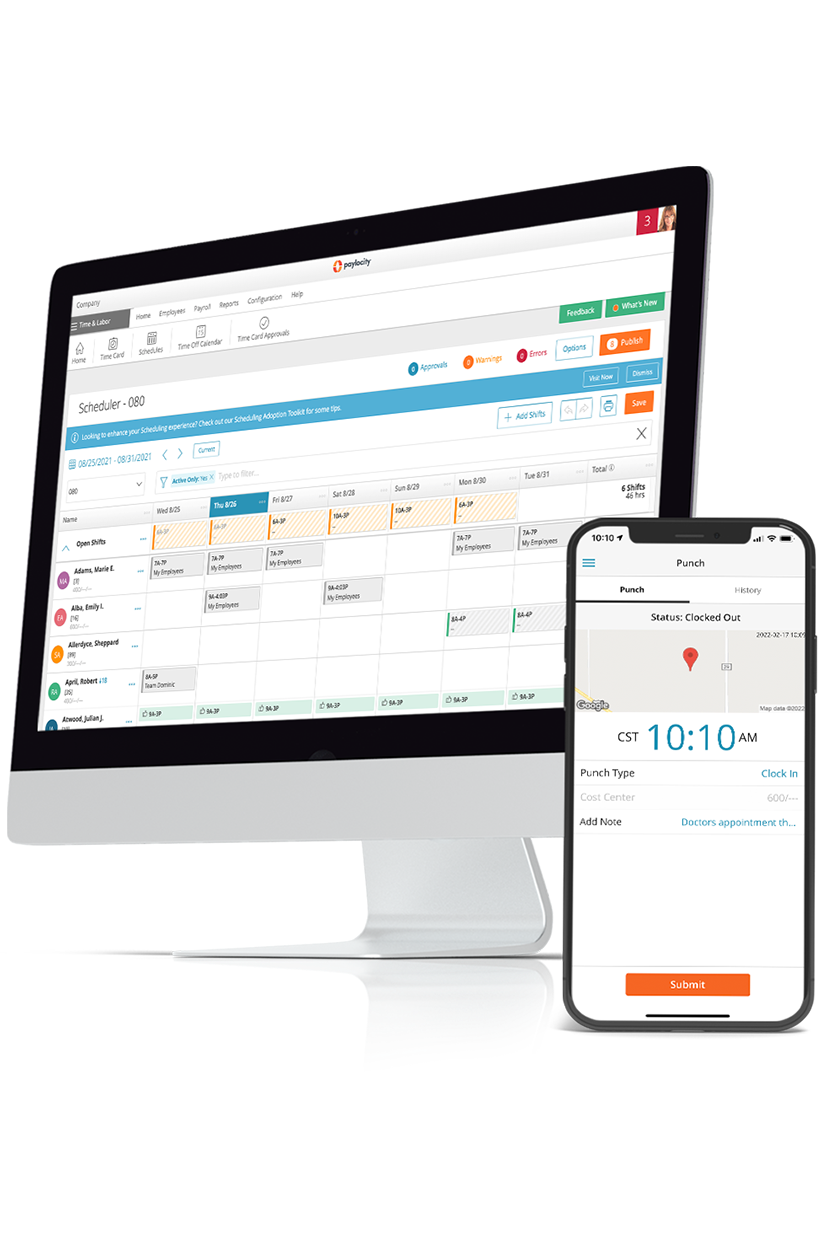
Maximize productivity the right way
Get out of time-consuming processes while knowing your employees are set up for day-to-day success. The costs — and headaches — of manually scheduling, tracking, and managing your workforce's time adds up fast. Use the right tools to automate where it matters, while delivering a modern, user-friendly experience for employees and their managers.
Related
![The 9 Best Payroll Software for Small Businesses [2026]](https://s7d9.scene7.com/is/image/paylocity/best-payroll-software-hero?$Hero-Card$)
The 9 Best Payroll Software for Small Businesses [2026]
Compare the best payroll software platforms for small businesses. Learn about features, pricing, and reviews for better payroll processing.

The 10 Best HRIS Software for HR Managers
Compare the best HRIS software for HR teams, see key features, pros, and pricing, and learn how the right platform streamlines HR, payroll, and workflows.